A game server panel for your own machine
Zelie is a self-hosted game server panel. It runs Minecraft, Rust, Valheim and other games from the same eggs that Pterodactyl and Pelican use, on one Linux server, with no Docker to install and no database to look after.
Updated November 2026
What Zelie does for a game server
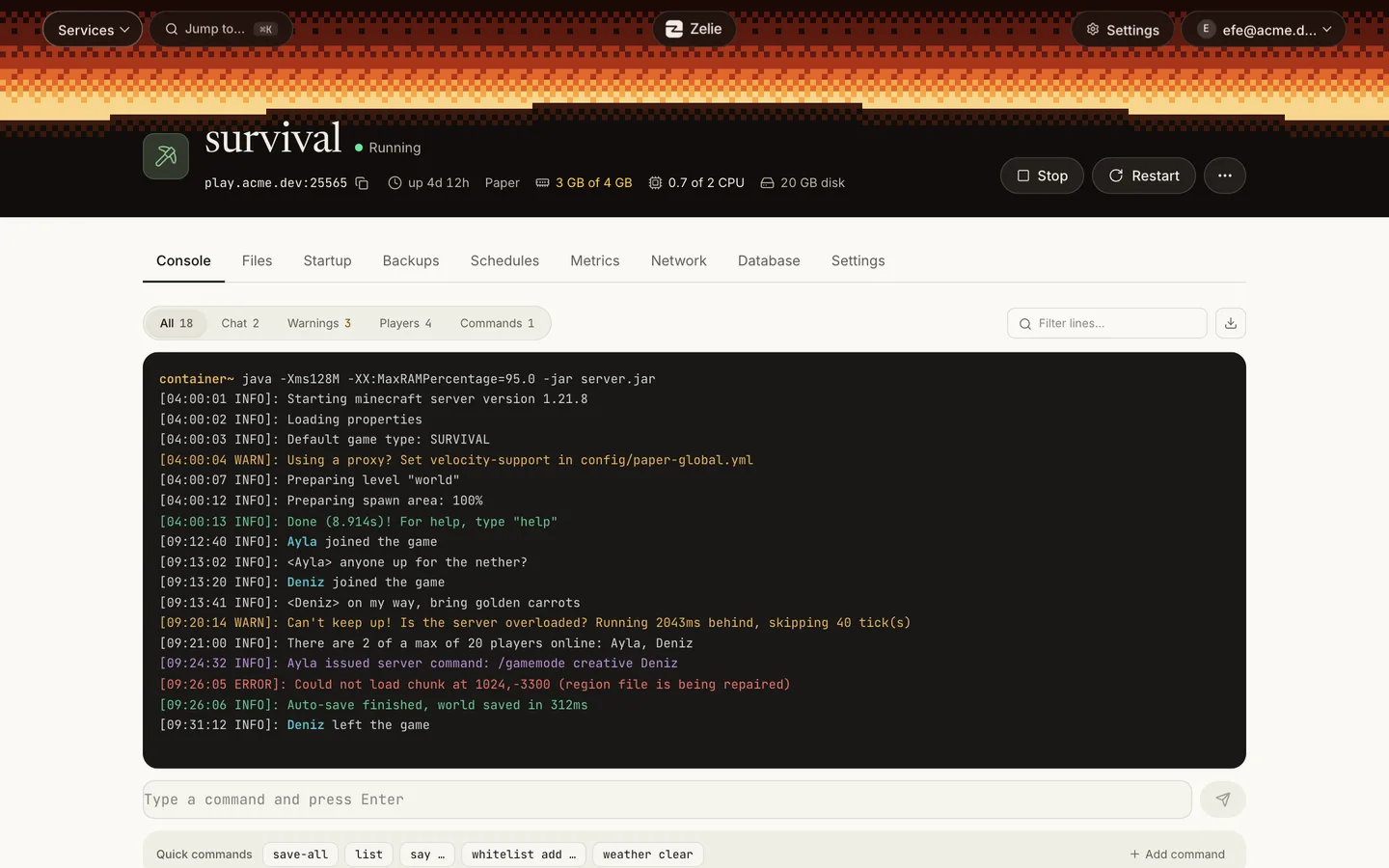
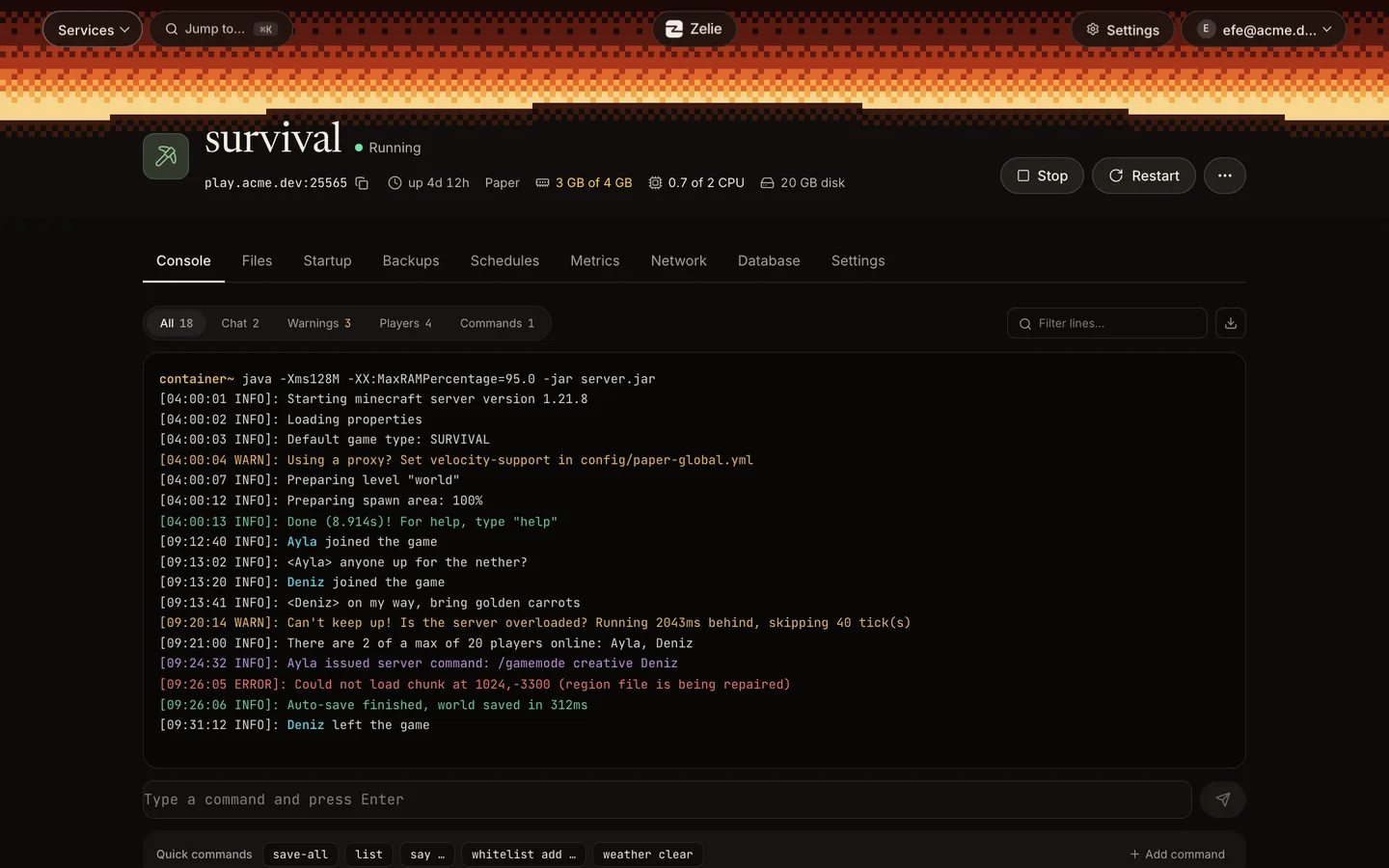
You pick a game, set memory, CPU, disk and ports, and Zelie installs it using the egg’s own install script. From then on the server has a page with everything you need to run it. Install Zelie covers getting the panel itself onto the machine.
- Console
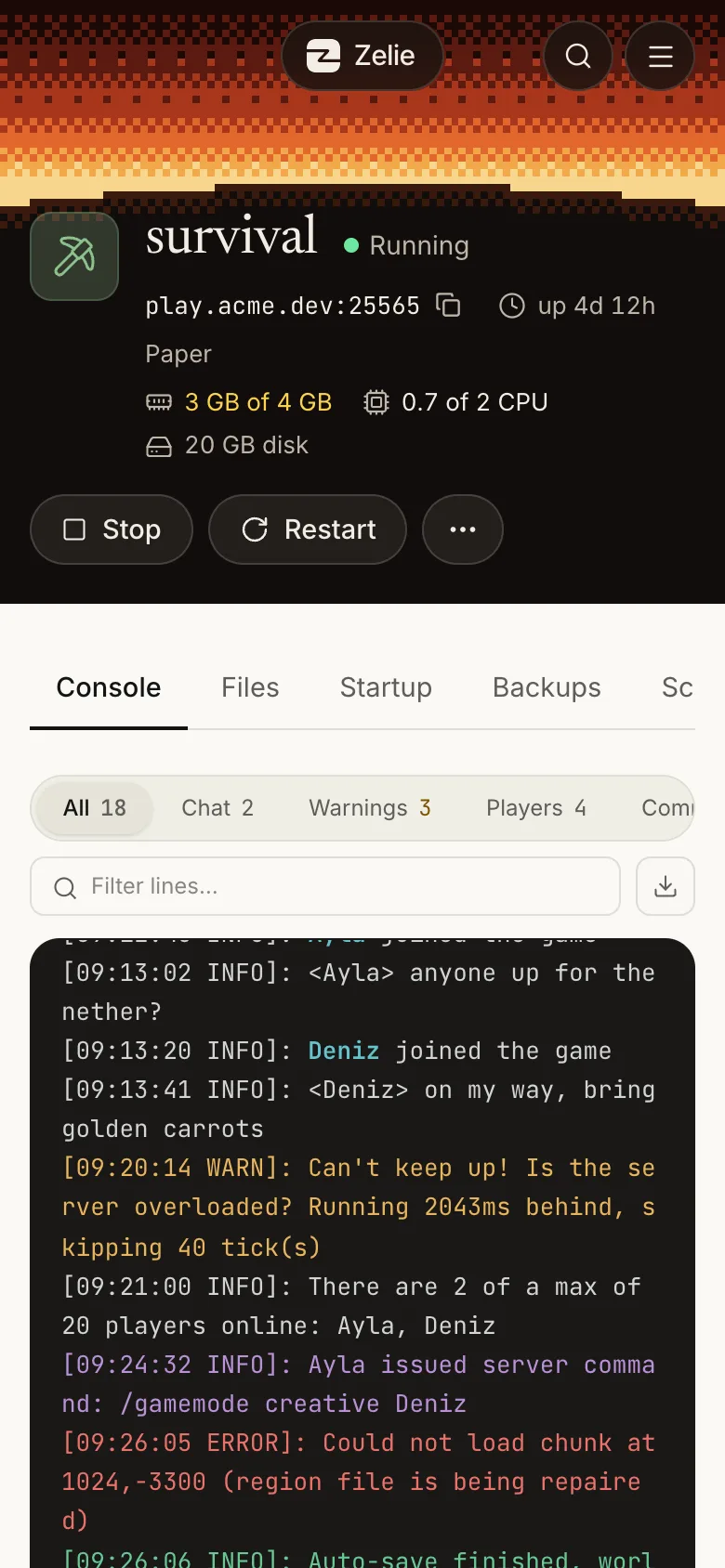
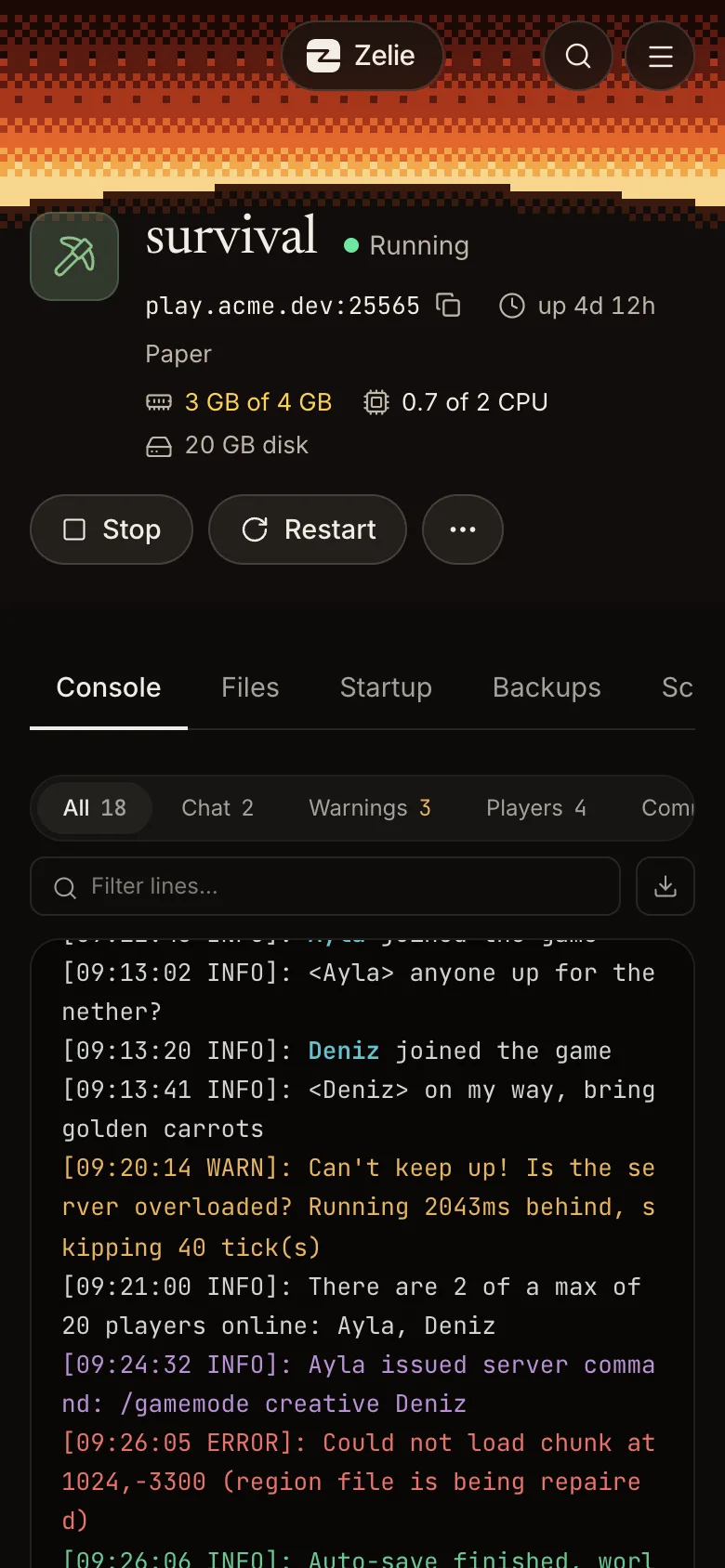
- Live output with colours, the last 500 lines when you open it, filters for chat, warnings and players, and a command line with quick commands. Start, stop, restart and kill.
- Files and editor
- A file manager in the browser with upload by dragging, archives and an editor. Minecraft’s
server.propertiesand Rust’sserver.cfgopen as a form, with the plain text a click away. - SFTP
- Log in with an SSH key or a password made for that one server. Your account password never works over SFTP.
- Schedules
- Cron times for console commands, power actions and backups, run in order.
- Backups
- The server’s files on a schedule, encrypted on the server, with a copy in any S3-compatible storage. Minecraft saves the world first.
- Steam updates
- Zelie asks Steam every hour whether a server is behind, and can update it when nobody is playing.
- Players
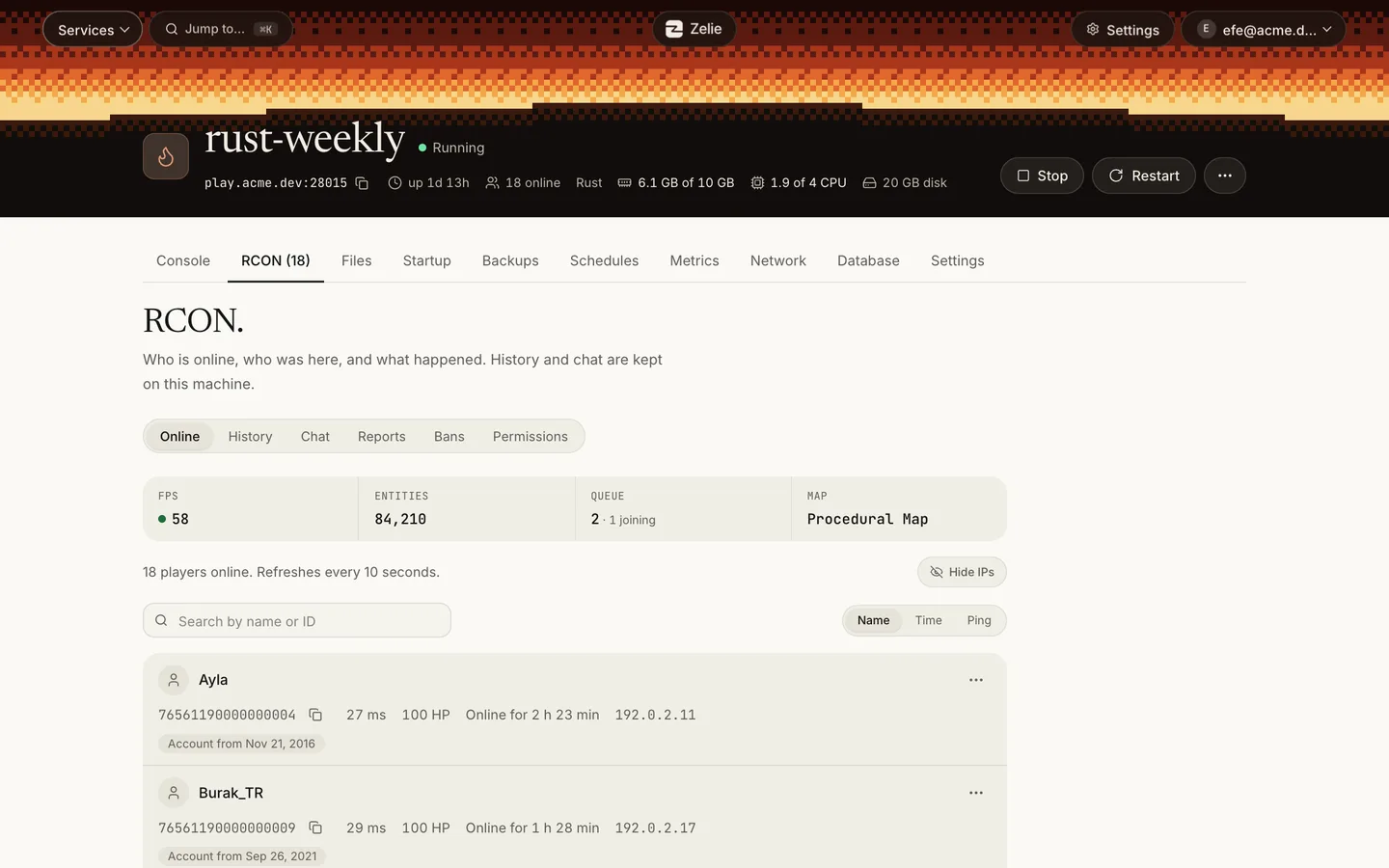
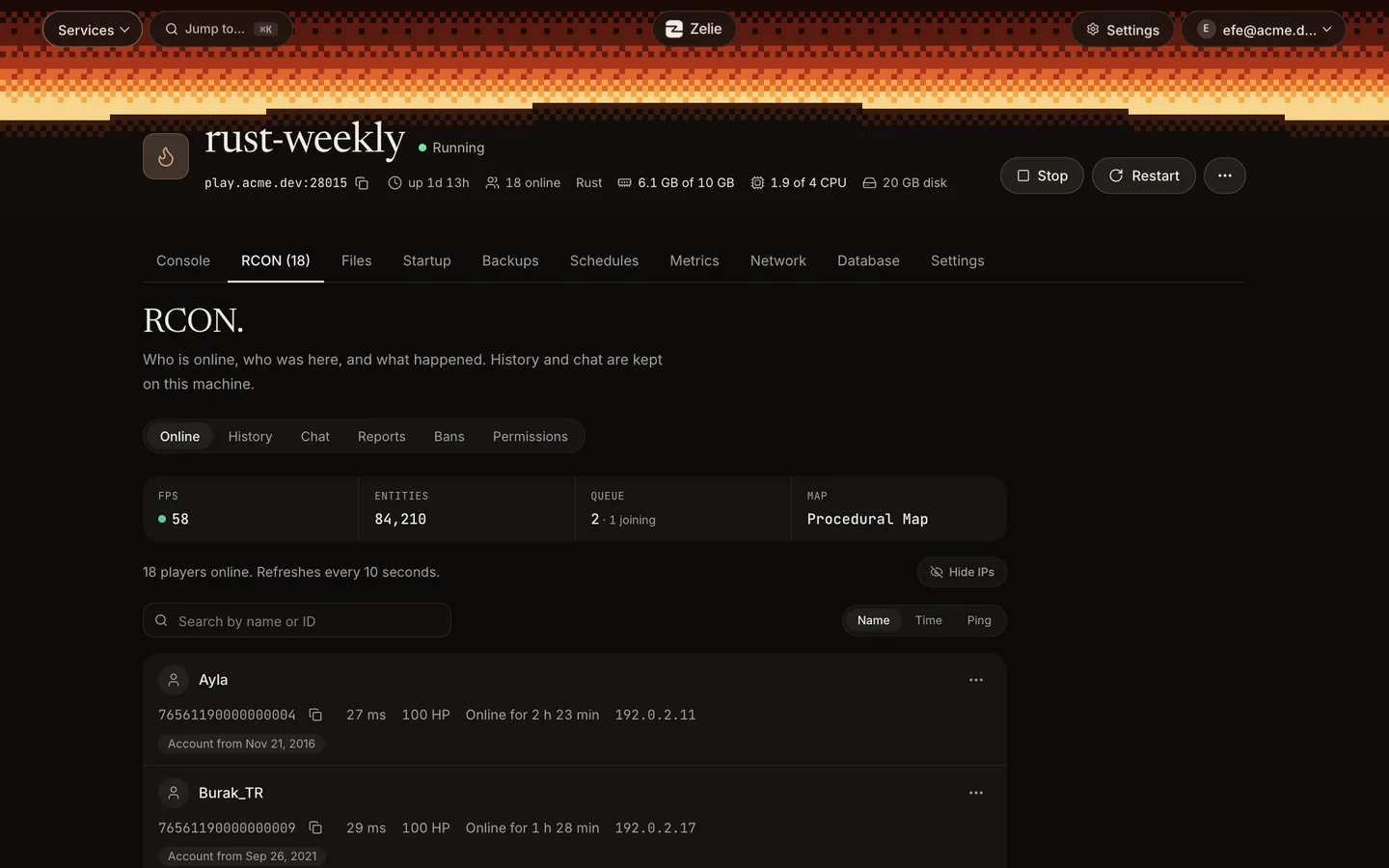
- For Rust and Minecraft: who is online, who was here, chat, kicks and bans, and whitelists and operators even while the server is stopped. Some other Steam games get a list of who is online.
- Clone
- A new, stopped server with the same egg, settings and files, and new ports. Useful before a big update or a new modpack.
- Metrics
- CPU, memory and network for each server, with usage in the header coloured so a server running hot stands out.
When a server crashes
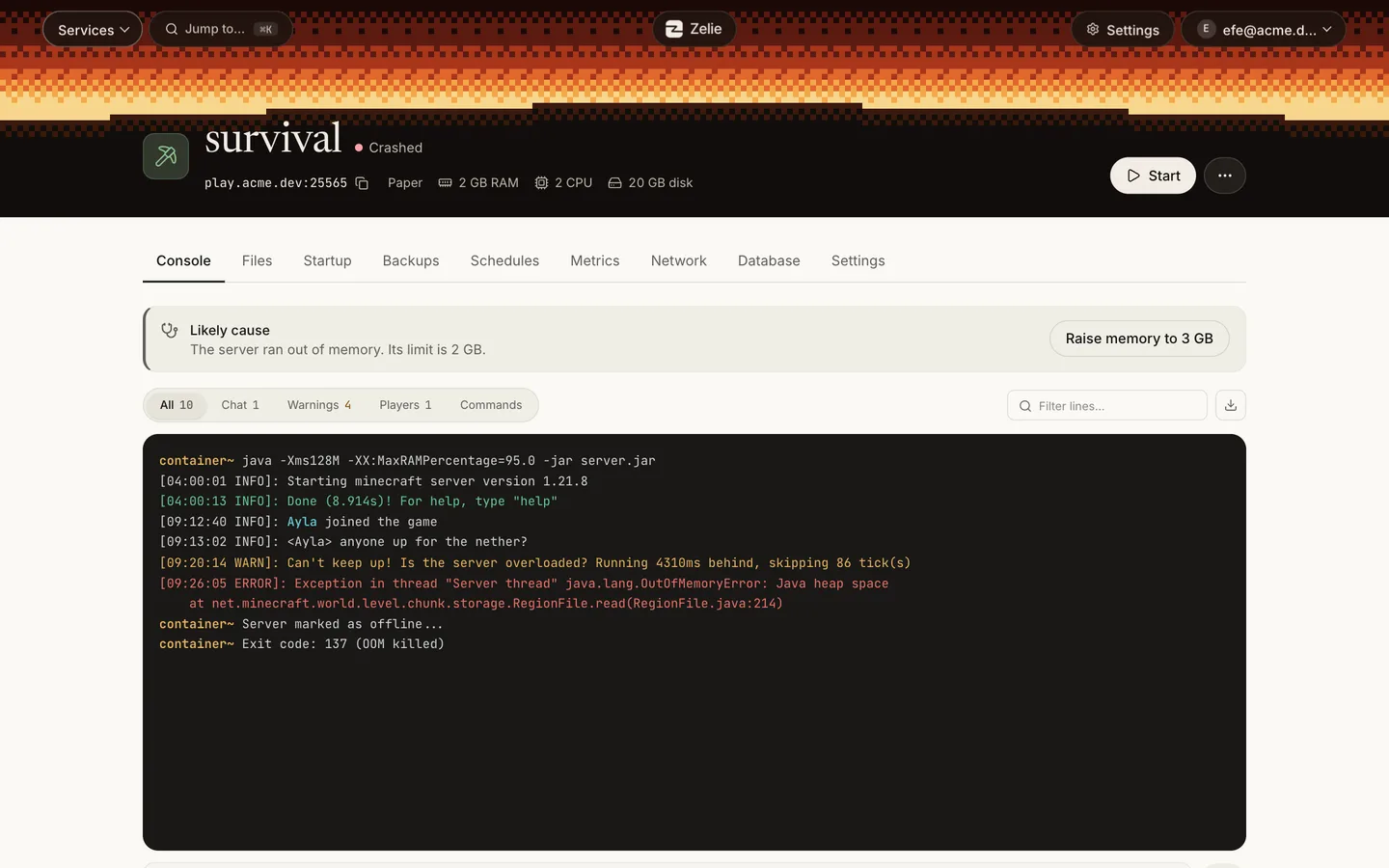
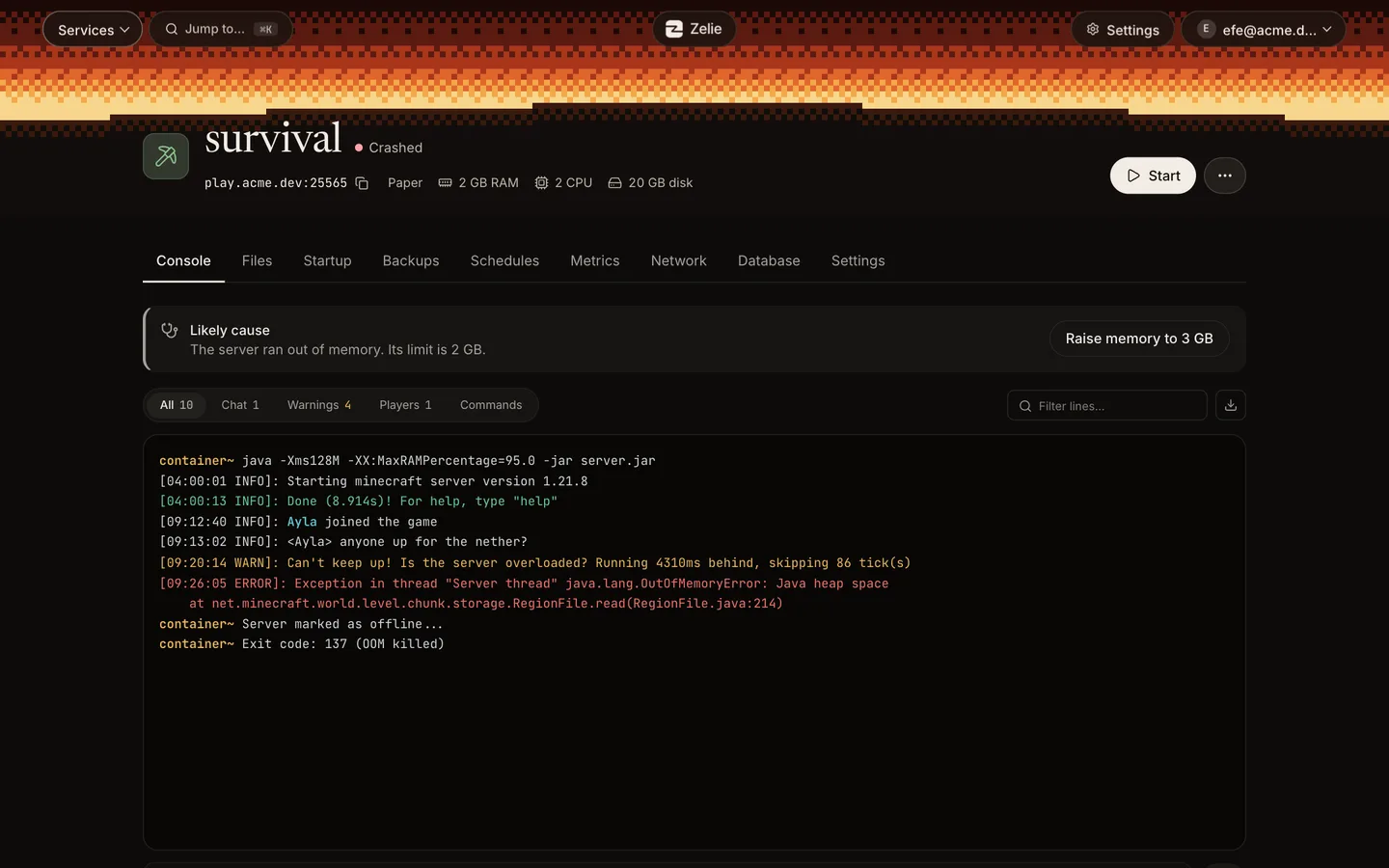
Zelie reads the last lines a server printed and says why it stopped, for example that it ran out of memory at its limit. You see the cause above the console, not only an exit code.
Players, without a plugin
The Players tab keeps visits for 30 days and chat for 7, searchable. Accounts seen on the same address are listed together. Kicks and bans take a reason and an optional end. On Rust, the Permissions tab manages Oxide and Carbon groups, permissions and plugins, and a free Steam Web API key adds VAC and game bans.
The games in the list
Zelie lists 14 games, taken from the Pelican egg repositories at a fixed commit that each Zelie release names. CI checks every entry on each change.
Minecraft (8)
- Vanilla
- Paper
- Purpur
- Fabric
- Forge
- NeoForge
- Velocity
- Bedrock
Survival and building (10)
- Rust
- Valheim
- Palworld
- ARK: Survival Ascended
- 7 Days to Die
- Project Zomboid
- Enshrouded
- V Rising
- Sons of the Forest
- Satisfactory
Shooters and sandbox (3)
- Counter-Strike 2
- Garry’s Mod
- Squad
Any other egg works too. Paste the https address of an egg file, in the Pterodactyl or the Pelican format, and Zelie imports it.
A note on how far this has been proven. Zelie is young and moving fast. Minecraft runs end to end in its automated tests on every change. Rust and the Steam update check have only run against stand-ins so far. The other games are listed and their eggs are checked, but not every game has been played on a live server yet. Keep backups of what matters.
Two games have their own guides: the Minecraft server panel and the Rust server panel.
Ports, firewall and the address players use
Game servers take their ports from a pool you set up once. Each use has its own port: the game, the query port, RCON, and for Rust the companion app. You choose which port of the pool each one gets, when you create the server and later on the Network tab.
Zelie forwards the ports to the container with nftables and allows them in ufw when it is on. Players connect straight to the server, and game traffic never goes through a tunnel. Settings, under Game servers, shows the address players connect to.
Private networks, and servers with no public port
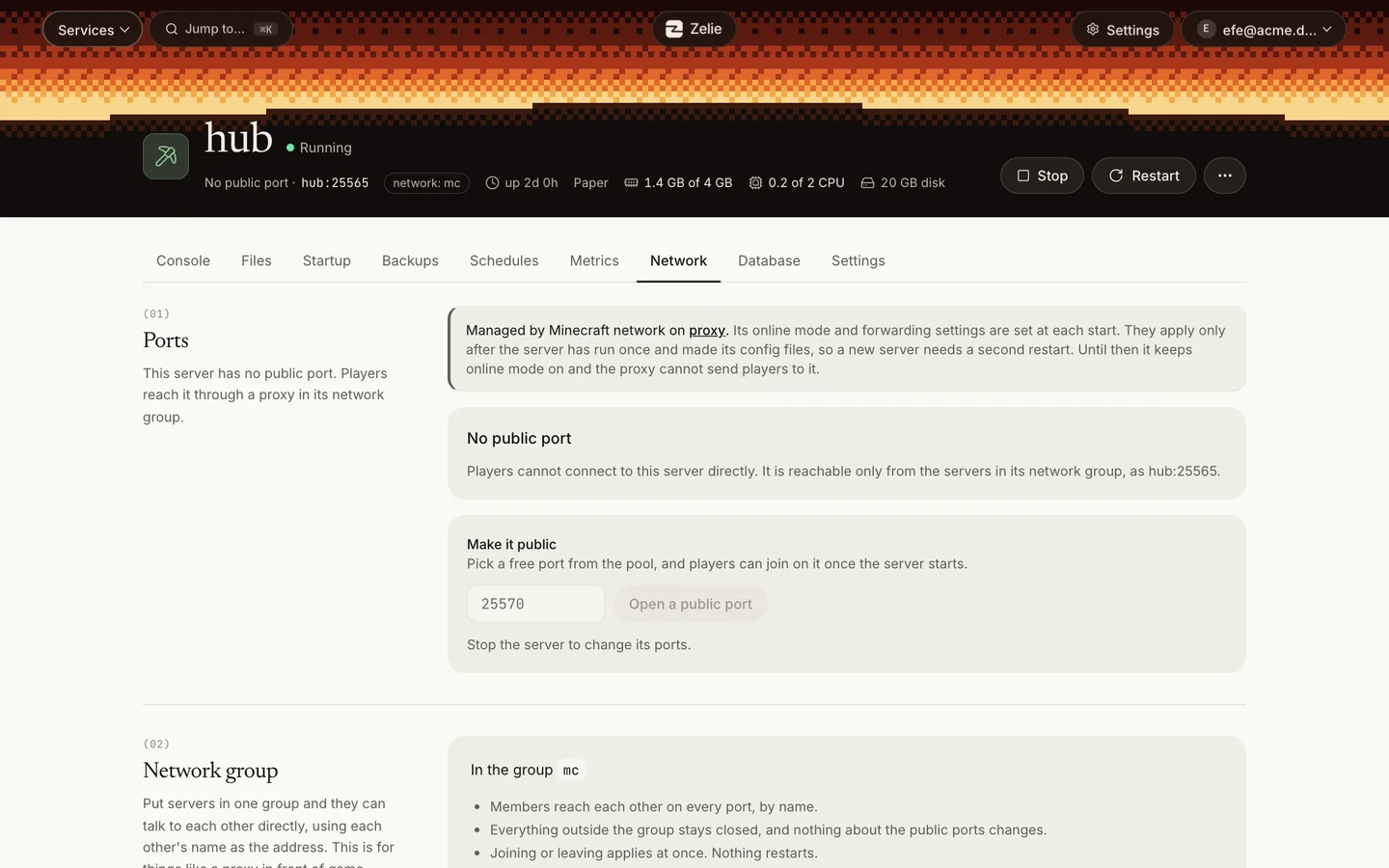
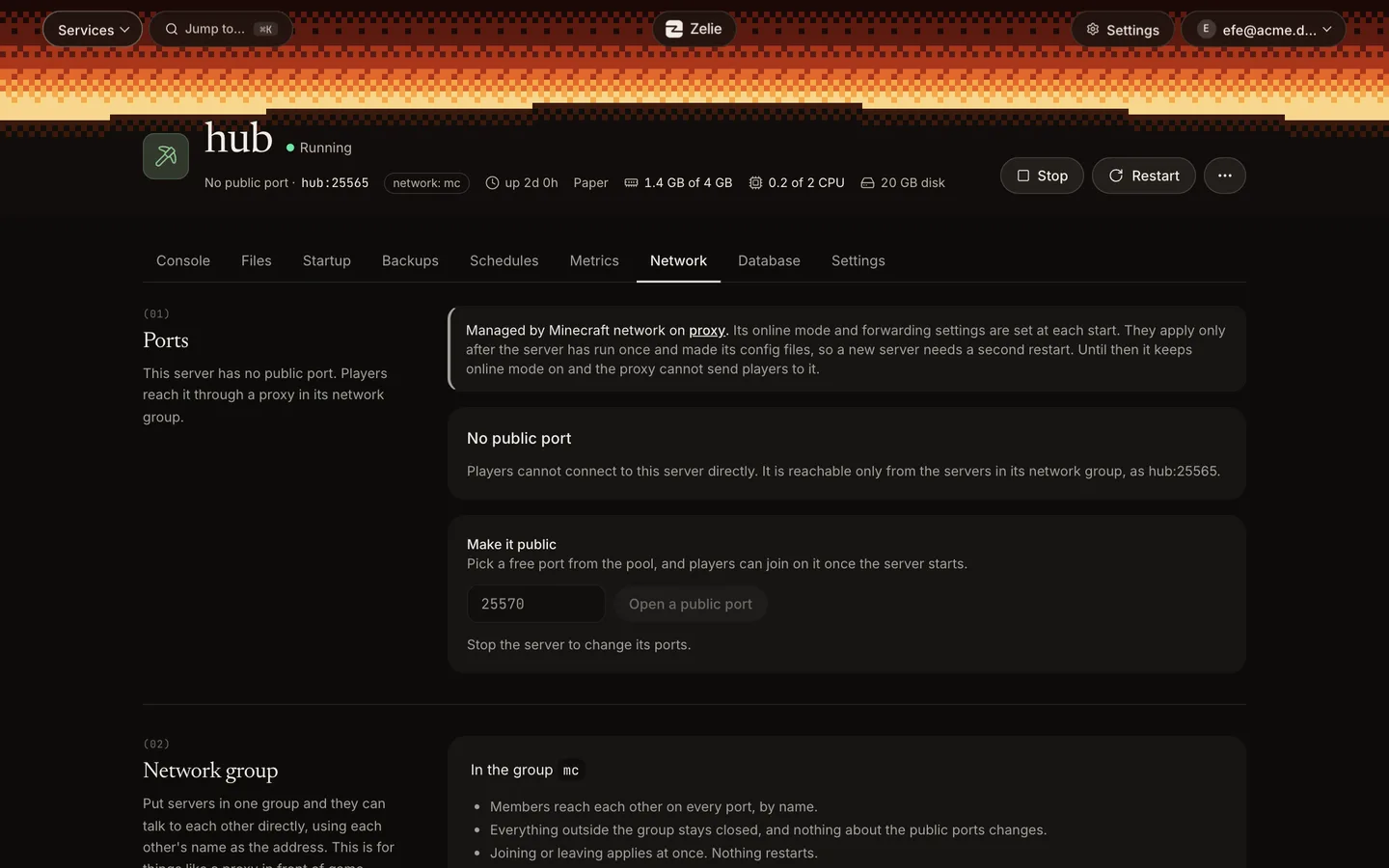
Every game server has a network of its own. Put a few in a network group and they reach each other by name on every port, while everything outside the group stays closed. A server behind a proxy can be made with No public port: it takes no port from the pool, and only its group can reach it.
For Minecraft, a Velocity proxy can set up the Paper and Purpur servers behind it at each start. The Minecraft network panel page shows how.
Safer than the usual defaults
- An RCON or admin password that the egg leaves empty, or sets to a placeholder such as
changeme, gets a long random value when the server is made. - Every game server runs in its own container with its own user namespace. Nothing runs privileged.
- The file manager cannot leave the server’s own folder, even through a symbolic link left in the volume.
- The part of Zelie that runs as root has no network port, and the parts that face the internet are updated with Zelie’s own patch releases.
The architecture page explains how the panel, the core and the containers are kept apart.
Who it is for
Zelie suits a friend group that wants a Minecraft or Valheim server on a rented machine, and a small host that runs a handful of servers and wants them in one place. It also suits anyone who wants a website, its database and a game server on the same machine without three separate tools.
Friends and moderators can get their own login, limited to the servers and actions you choose, one permission at a time or from the viewer, moderator and administrator templates. The whole panel works at phone width, the console included.
It does not fit everyone yet. Zelie manages one server, and one panel cannot run several machines; several servers are planned for Business.
How it compares with game-only panels
Game servers
Pterodactyl and Pelican eggs
- Zelie
- Yes14 games ready, any other by its link
- Pterodactyl
- Yes
- Pelican
- Yes
Console, files, SFTP, schedules
- Zelie
- Yes
- Pterodactyl
- Yes
- Pelican
- Yes
Players and RCON tools
- Zelie
- YesRust and Minecraft, a player list for some Steam games
- Pterodactyl
- NoOnly paid third-party addons
- Pelican
- NoOnly through community plugins
Safe passwords by default
- Zelie
- YesRCON and admin passwords get a random value
- Pterodactyl
- PartlyAs the egg sets them
- Pelican
- PartlyAs the egg sets them
Steam updates
- Zelie
- YesChecks each hour, updates when nobody plays
- Pterodactyl
- PartlyOn start, if the egg does it
- Pelican
- PartlyOn start, if the egg does it
A game server without a public port
Minecraft proxy (Velocity) network, set up by the panel
- Zelie
- YesForwarding and its secret, written at each start
- Pterodactyl
- NoBungeeCord steps by hand
- Pelican
- NoNot built in
Says why a server crashed
Clone a server with its files and settings
- Zelie
- YesA new, stopped server with new ports
- Pterodactyl
- NoOnly moves a server between nodes
- Pelican
- NoOnly a third-party plugin, which copies no files
- Yes
- Partly
- Planned
- No
Pterodactyl and Pelican are made for game servers and do that well. They are mature, they manage many machines and they let you give players their own access. They also come as several parts: a PHP panel with a database, a web server and Redis, plus a daemon on each machine that uses Docker.
Zelie is one Go binary with its own containerd, and it runs apps and databases next to the game servers. If you need several machines today, stay with Pterodactyl or Pelican. The Pterodactyl comparison goes through the differences in more detail, and the full comparison adds Coolify.
Questions
Can I import my Pterodactyl egg?
Yes. Zelie reads eggs in the Pterodactyl and the Pelican format. Paste the https address of the egg file when you create a server.
Do I need Docker?
No. Zelie brings its own containerd and runs containers itself. If Docker is already on the machine, it can stay. Zelie never touches Docker’s containers or firewall rules.
Can a game server run without a public port?
Yes. Choose No public port when you create it, and put it in a network group with the servers that should reach it, such as a proxy. Players cannot connect to it directly.
Does it run next to Pelican or Wings?
Yes, on the same machine. Wings uses port 2022 for SFTP and Zelie uses 2222, so they do not clash by default. Both panels want ports 80 and 443 if you use a domain, so reach Zelie through a Cloudflare Tunnel or move the other web server off those ports. Give each panel its own range of game ports.
How do I get Zelie?
Free is open to everyone: make an account and install Zelie on a server of your own. Install Zelie shows the steps. Pro, for your own server too, and Business, for those who sell hosting, are on Pricing, with what each costs.
Can my friends log in to manage one server?
Yes. Invite them with a link and choose what they may do on each server: the console, power, files, backups and more. They see only the servers they were given.
Install Zelie
Zelie is in early development, and Free is open to everyone: make an account and install it on a server of your own. Pro, for your own server too, is on sale now at €4.49 a month or €44.90 a year. Business, for those who sell hosting, follows.