A Pterodactyl alternative that runs your eggs
Zelie runs the same eggs as Pterodactyl and Pelican, from one Go binary. There is no PHP stack, no Docker and no database server to install. It updates itself from the panel, says why a server crashed, and runs your websites and databases beside the game servers.
Updated November 2026
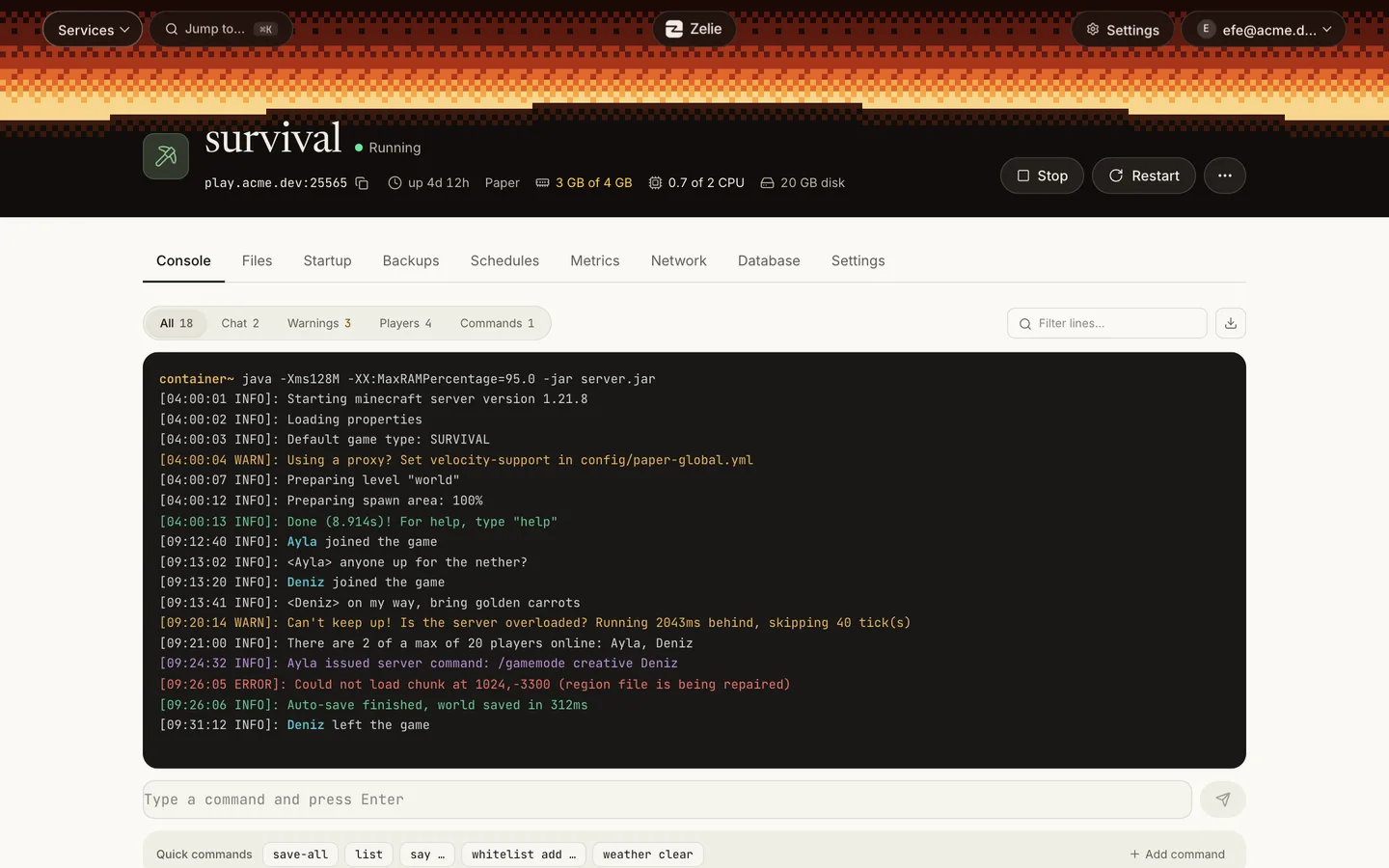
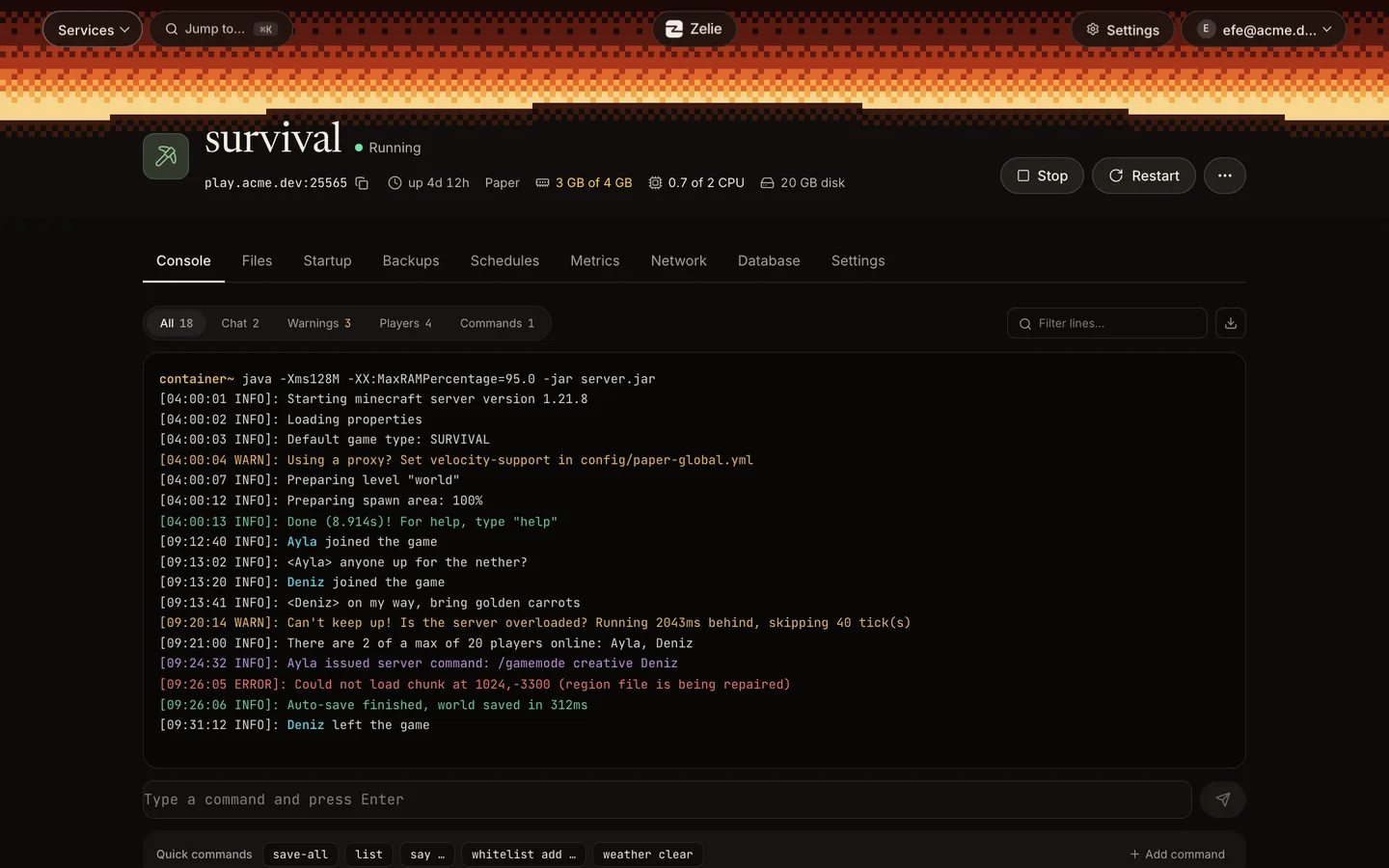
Zelie, Pterodactyl and Pelican side by side
Install and upkeep
Install
- Zelie
- YesOne command, a few minutes
- Pterodactyl
- PartlyA long manual guide
- Pelican
- PartlyA manual guide
No PHP stack to run
- Zelie
- YesOne Go binary
- Pterodactyl
- NoPHP, Laravel, a web server, MySQL and Redis
- Pelican
- NoPHP, Laravel and a web server
Runs without Docker
- Zelie
- YesIts own containerd
- Pterodactyl
- NoWings needs Docker
- Pelican
- NoWings needs Docker
Updates from the panel
- Zelie
- YesOne click, rolls back by itself if it fails
- Pterodactyl
- NoBy hand, with commands
- Pelican
- PartlyThe panel in one click, since 1.0.0-rc.3 (source)
Security fixes for app packages
- Zelie
- YesEvery night, tested on its own branch first
- Pterodactyl
- NoDoes not look at app packages
- Pelican
- NoDoes not look at app packages
Game servers
Pterodactyl and Pelican eggs
- Zelie
- Yes14 games ready, any other by its link
- Pterodactyl
- Yes
- Pelican
- Yes
Console, files, SFTP, schedules
- Zelie
- Yes
- Pterodactyl
- Yes
- Pelican
- Yes
Players and RCON tools
- Zelie
- YesRust and Minecraft, a player list for some Steam games
- Pterodactyl
- NoOnly paid third-party addons
- Pelican
- NoOnly through community plugins
Safe passwords by default
- Zelie
- YesRCON and admin passwords get a random value
- Pterodactyl
- PartlyAs the egg sets them
- Pelican
- PartlyAs the egg sets them
Steam updates
- Zelie
- YesChecks each hour, updates when nobody plays
- Pterodactyl
- PartlyOn start, if the egg does it
- Pelican
- PartlyOn start, if the egg does it
A game server without a public port
Minecraft proxy (Velocity) network, set up by the panel
- Zelie
- YesForwarding and its secret, written at each start
- Pterodactyl
- NoBungeeCord steps by hand
- Pelican
- NoNot built in
Says why a server crashed
Clone a server with its files and settings
- Zelie
- YesA new, stopped server with new ports
- Pterodactyl
- NoOnly moves a server between nodes
- Pelican
- NoOnly a third-party plugin, which copies no files
Apps and databases
Deploy from GitHub on push
- Zelie
- Yes
- Pterodactyl
- No
- Pelican
- No
Deploys without downtime, one-click rollback
- Zelie
- YesLast five versions kept
- Pterodactyl
- No
- Pelican
- No
Automatic HTTPS for apps
- Zelie
- Yes
- Pterodactyl
- No
- Pelican
- No
Databases
- Zelie
- YesPostgreSQL, MariaDB, Redis, with a data browser, linkable to game servers too
- Pterodactyl
- PartlyMySQL for game servers
- Pelican
- PartlyMySQL for game servers
Browse tables and Redis keys
- Zelie
- YesRead-only, with search and CSV export
- Pterodactyl
- No
- Pelican
- No
Database major-version upgrades from the panel
- Zelie
- YesDumped and loaded; the old volume stays
- Pterodactyl
- No
- Pelican
- NoNot built in (source)
Metrics
- Zelie
- YesRequests, errors, memory and CPU for a day
- Pterodactyl
- PartlyLive memory and CPU
- Pelican
- PartlyLive memory, CPU and disk I/O (source)
Security
Nothing on the network runs as root
- Zelie
- YesThe root part has no port
- Pterodactyl
- NoWings runs as root on a public port
- Pelican
- NoWings runs as root on a public port
Private networks between servers
Secrets the panel cannot read back
- Zelie
- Yes
- Pterodactyl
- No
- Pelican
- No
Encrypted backups to S3
- Zelie
- YesEncrypted on the server
- Pterodactyl
- PartlyTo S3, not encrypted
- Pelican
- PartlyTo S3, not encrypted
Sub-users with their own permissions
- Zelie
- Yes
- Pterodactyl
- Yes
- Pelican
- Yes
Coming later
Several machines from one panel
- Zelie
- Planned
- Pterodactyl
- Yes
- Pelican
- Yes
- Yes
- Partly
- Planned
- No
Comparing with Coolify as well? The full table has all of them.
Your eggs work here
Zelie reads eggs in both the Pterodactyl and the Pelican format. The games your panel runs today run on Zelie too.
- 14 games ready to pick, from Minecraft with Paper, Fabric and Forge to Rust, Valheim, ARK, Palworld and Counter-Strike 2. They come from Pelican’s egg repositories, and CI checks every entry.
- Any other egg by its link. Paste the link to an egg and create the server from it.
- The tools you know. A live console, a file manager with an editor, SFTP, schedules, backups and ports you pick per use: game, query, RCON or Rust+.
- A few you may not. When a server crashes, Zelie reads its last lines and says why. Minecraft’s
server.propertiesand Rust’sserver.cfgopen as a form. A clone makes a new, stopped server with the same egg, settings and files, and new ports.
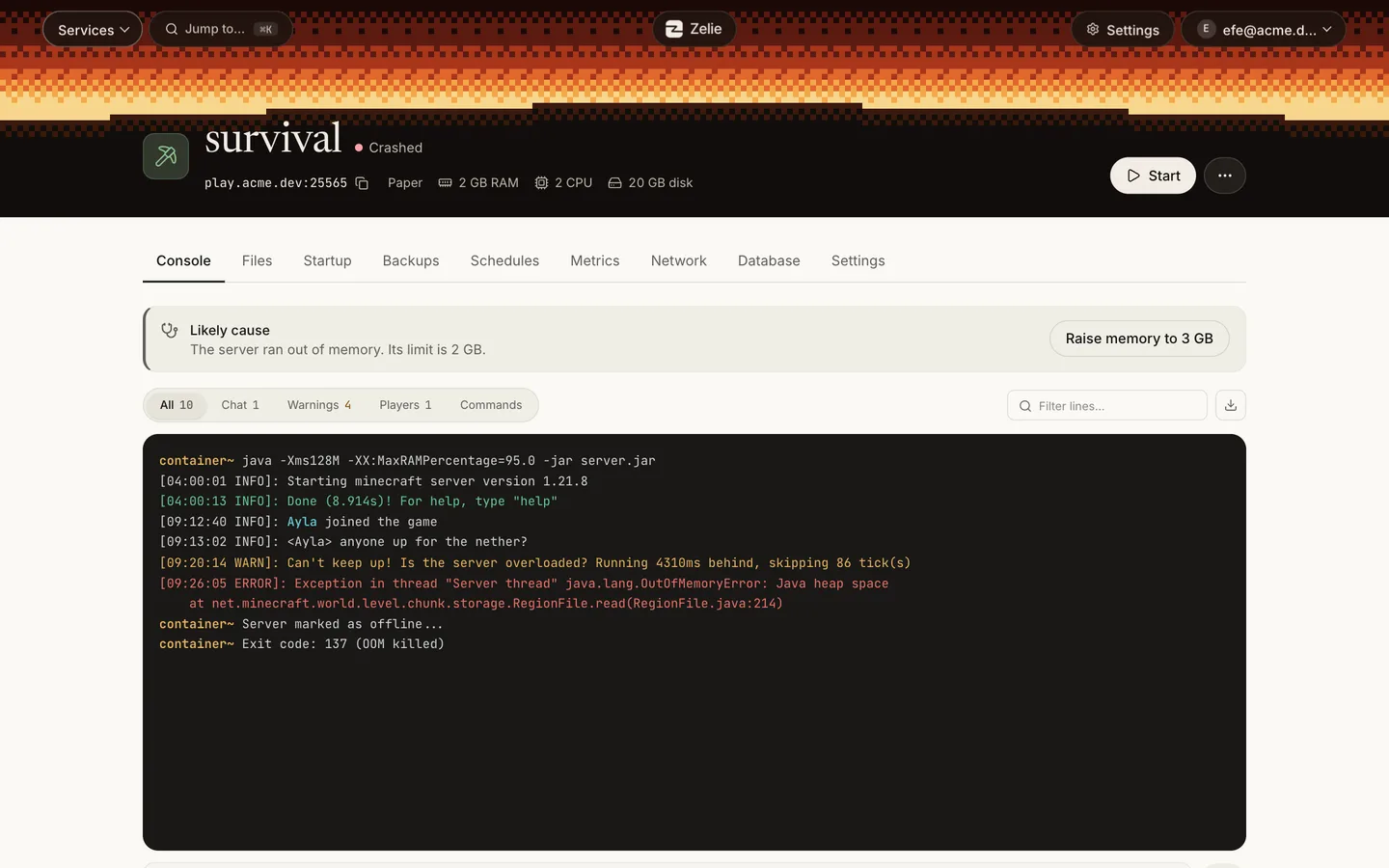
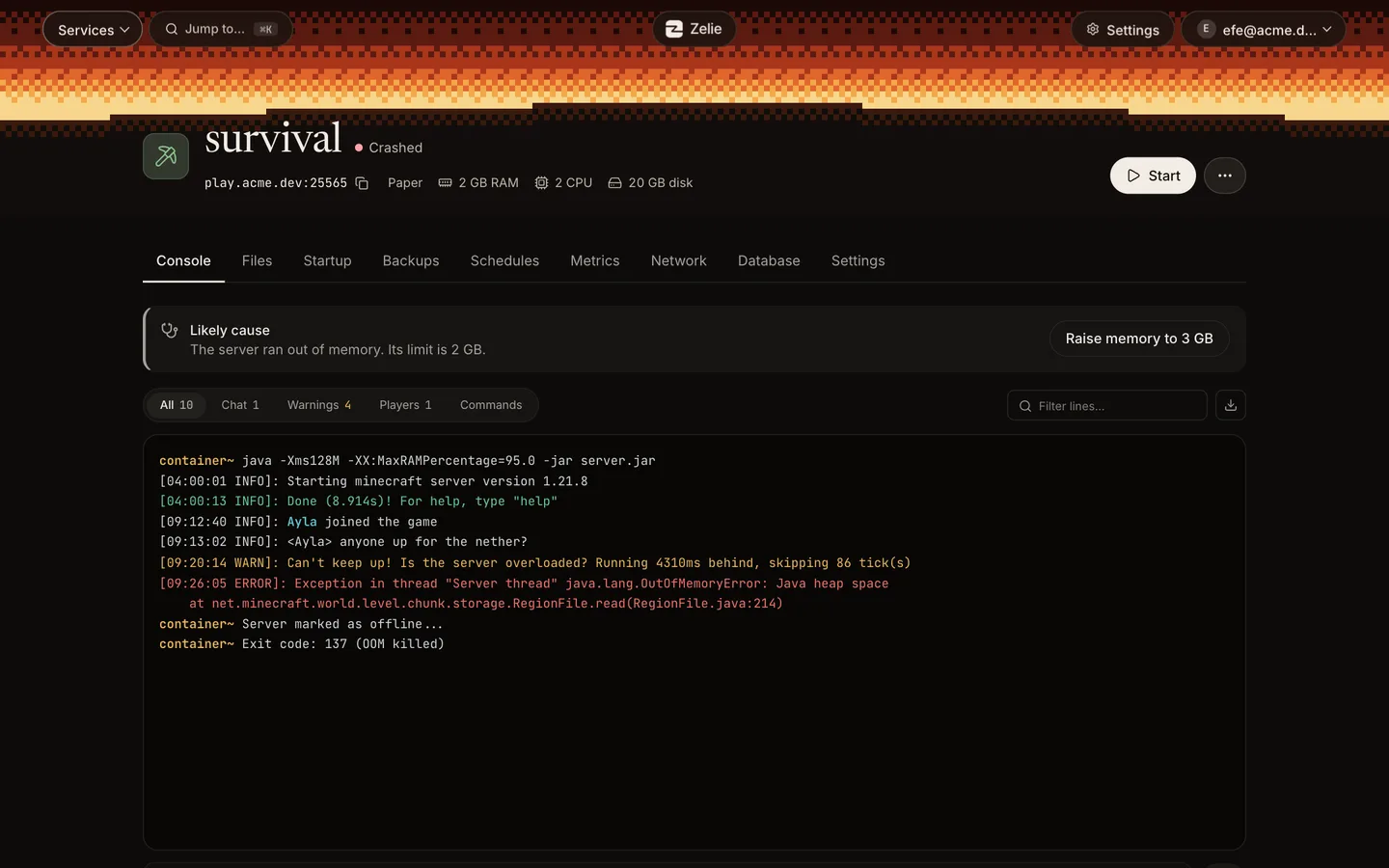
Players and RCON, built in
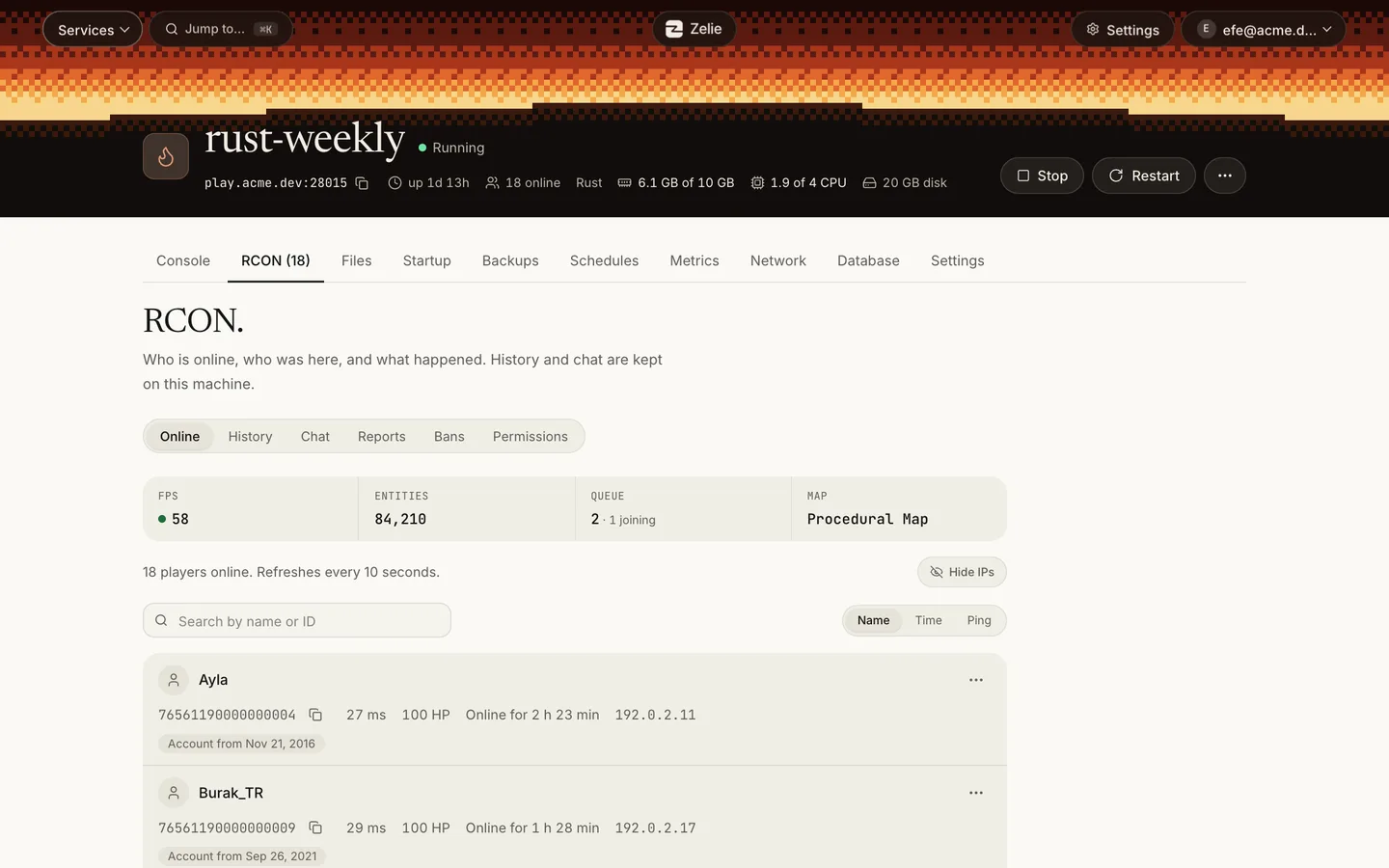
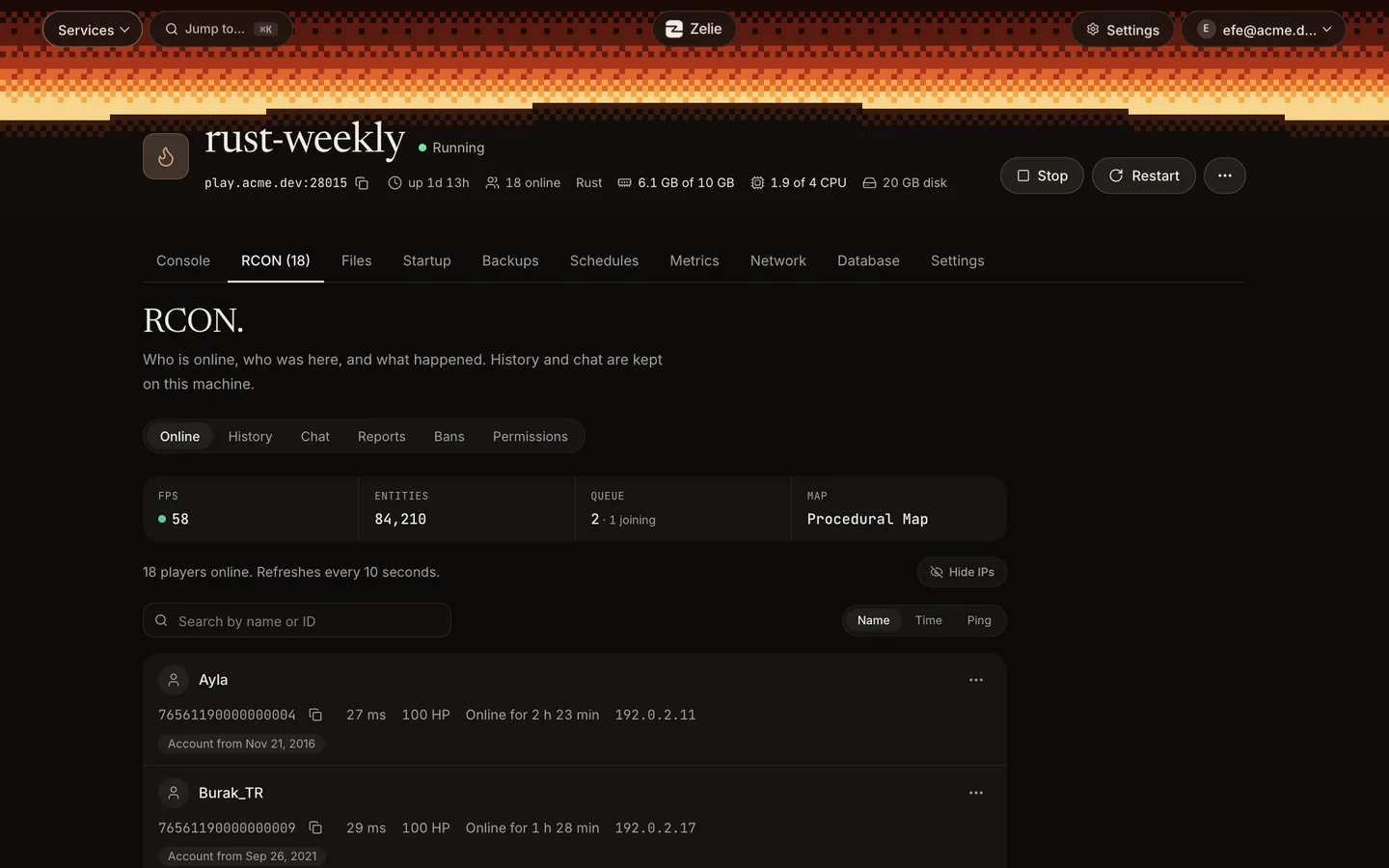
In Pterodactyl, player tools come from paid third-party addons. In Zelie, the Players tab works for Rust and Minecraft, and as a plain list for some other Steam games.
- Who is online, visits kept for 30 days, and chat kept for 7 days and searchable.
- Kick and ban with a reason and an optional end.
- Minecraft’s whitelist, operators and IP bans, and Rust’s owners and moderators, whether the server is running or stopped.
- On Rust, a Permissions tab for Oxide and Carbon groups, permissions and plugins.
Private networks and servers without a port
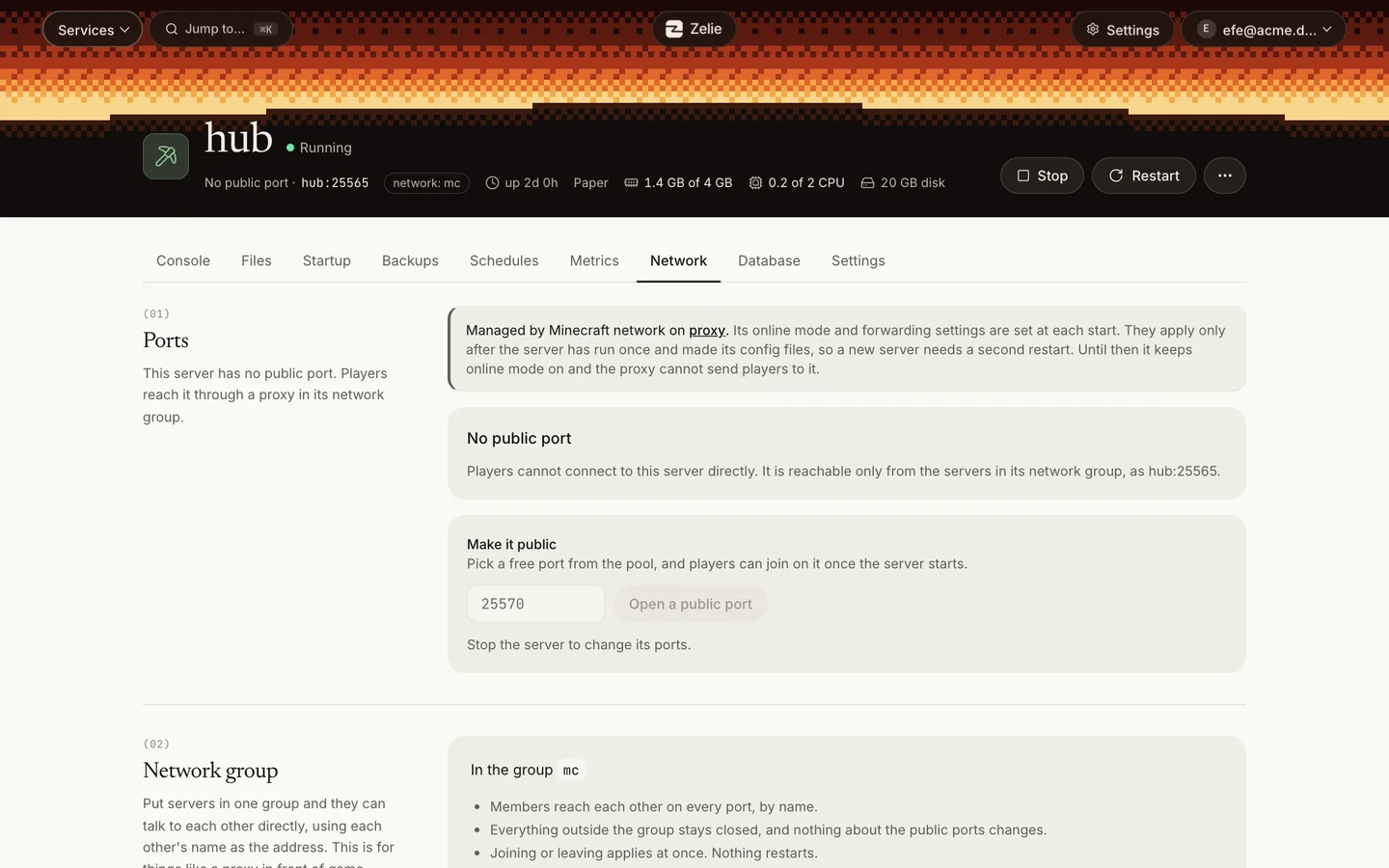
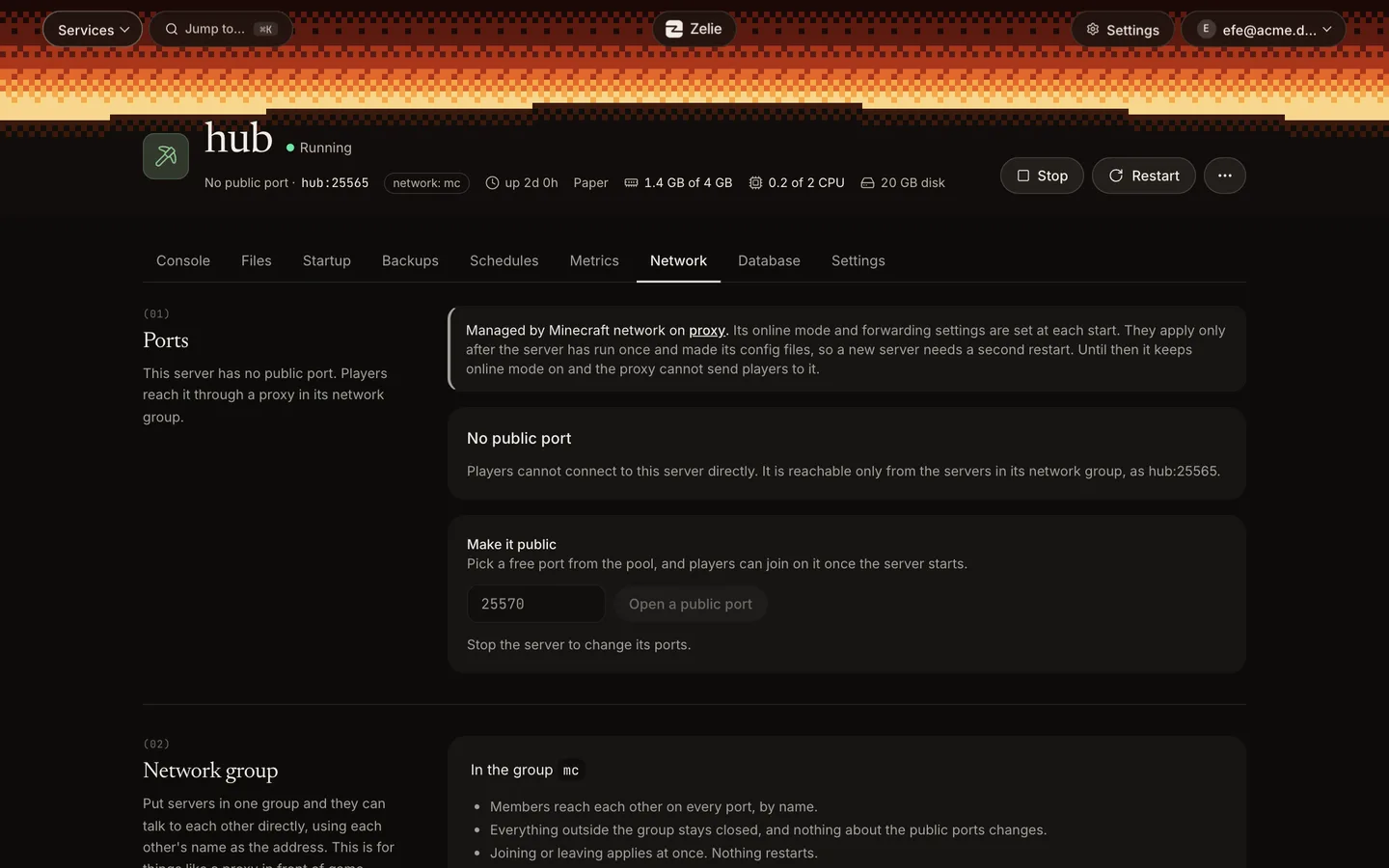
Pterodactyl puts the servers on a machine in one shared network. In Zelie, every game server and app has a network of its own. A network group lets a few of them reach each other by name, and everything outside the group stays closed.
A server behind a proxy can be made with no public port, so only its group can reach it. A Velocity proxy can set up the Paper and Purpur servers behind it at each start; the Minecraft network panel page shows how.
Much lighter than a PHP panel
A Pterodactyl install is a PHP (Laravel) panel with a web server, a queue worker, MySQL and Redis, plus the Wings daemon and Docker on each machine. Pelican keeps the same design.
Zelie is one Go binary, a download of about 50 MB, with its state in SQLite. Its own processes stay under 66 MB of memory when idle, and CI fails if they grow past that. Measured by Caria Core on a live server, Pelican’s panel comes to about 231 MB and Wings to 38 MB, before the database and Docker. The memory you save goes to your players.
One command to install, one click to update
Installing Pterodactyl means following a long guide: PHP and its extensions, a web server, a database, a queue worker, cron, then Wings and Docker. Zelie is one command, taken from your account. It checks the release’s signature, asks how the panel should be reached, and sets up the rest.
New releases show up in Settings, under General, and install with one click. Game servers keep running while Zelie updates, and if the new version does not answer within a minute and a half, the old one is put back. The update round, at a time you set, can install Zelie’s patch releases for you. Steam games can update themselves too, when nobody is playing.
What the internet can reach
Wings runs as root on a public port. Zelie keeps the root part off the network.
- Root has no port. The core runs as root and answers only on a Unix socket. The proxy, the panel and the SFTP server run as their own unprivileged users, so a bug in the web panel is not a bug with root rights.
- Containers without root. Every server runs in a container with a user namespace: root inside it is an unprivileged user on the host.
- Patched where it faces the internet. The proxy, the panel and the SFTP server are all Zelie, so Zelie’s patch releases cover them. Every release is checked with govulncheck.
- Sealed secrets and encrypted backups. Passwords and keys are sealed as they are saved. Backups are encrypted on the server before a copy goes to S3.
Game servers, websites and databases in one place
The same panel deploys a site or a Discord bot from GitHub, gives it HTTPS, and runs PostgreSQL, MariaDB or Redis for it. Your server’s website, its database and the game itself sit under one login, with metrics for each. The Zelie overview shows the whole panel, and the game server panel page everything it does for a game.
Moving from Pterodactyl to Zelie
A game server is its egg and its files, so moving one takes a few minutes.
- 1Install Zelie and set up its pool of game ports.
- 2Create the server from the same egg. If it is not in the list, import the egg by its link.
- 3Stop the old server, then download its files over SFTP and upload them to Zelie over SFTP or with the file manager.
- 4Check the startup variables and the ports, then start it.
Running Zelie next to Pelican or Wings
You can try Zelie on the same machine first. It brings its own containerd and never touches Docker’s containers or firewall rules.
- SFTP. Wings listens on port 2022 and Zelie on 2222, so they do not clash.
- Web ports. With a domain, Zelie wants ports 80 and 443. If another web server has them, reach Zelie through a Cloudflare Tunnel instead.
- Game ports. Give each panel its own range, so two servers never ask for the same port.
Questions
Do Pterodactyl eggs work in Zelie?
Yes. Zelie reads eggs in the Pterodactyl and the Pelican format. 14 games are ready to pick, and any other egg can be imported by its link.
Does Zelie need Docker?
No. Zelie runs its own containerd. If Docker is already on the machine, Zelie leaves it alone.
Can I move my Pterodactyl servers to Zelie?
Yes. Create the server from the same egg in Zelie and copy the files across over SFTP. The steps are on this page.
Does Zelie support several nodes or sub-users?
Sub-users, yes: invite someone with a link and choose what they may do on each server, one permission at a time or from the viewer, moderator or administrator templates. Several nodes, not yet: Zelie manages the machine it is installed on, and more than one is planned.
Is Zelie a fork of Pterodactyl or Pelican?
No. It is separate software, written in Go. It reads the egg format those panels use.
Install Zelie
Zelie is in early development, and Free is open to everyone: make an account and install it on a server of your own. Pro, for your own server too, is on sale now at €4.49 a month or €44.90 a year. Business, for those who sell hosting, follows.