A Minecraft server panel you host yourself
Zelie is a self-hosted Minecraft server panel. It runs Vanilla, Paper, Purpur, Fabric, Forge, NeoForge, the Velocity proxy and Bedrock on your own Linux machine, with a live console, server.properties as a form, players, SFTP and backups.
Updated November 2026
Which kinds of Minecraft server it runs
Each kind is an egg from the Pelican repositories; the comparison shows how Zelie and Pelican differ. Pick one when you create the server. Zelie suggests a starting size for memory and disk, and you can change both later on the Settings tab.
| Kind | What it is for | Suggested start |
|---|---|---|
| Vanilla | Mojang’s own server, no changes. | 2 GB memory, 5 GB disk |
| Paper | A faster server that runs Bukkit and Spigot plugins. | The general default |
| Purpur | Paper with more settings to change. | 2 GB memory, 5 GB disk |
| Fabric | A light base for mods. | 2 GB memory, 5 GB disk |
| Forge | Mods and modpacks that load a lot of content. | 4 GB memory, 10 GB disk |
| NeoForge | The newer branch of Forge, for the same kind of mods. | 4 GB memory, 10 GB disk |
| Velocity | A proxy that passes players on to your other servers. It keeps no world. Zelie can set up its network. | 512 MB memory, 1 GB disk |
| Bedrock | The native server for phones, consoles and Windows. Players connect over UDP. | 1 GB memory, 2 GB disk |
Setting up a server
- 1Pick the kind, then set memory, CPU, disk and the Java image. The image decides the Java version.
- 2Choose the port. Zelie suggests one it found free on the machine, starting at 25565.
- 3Accept Mojang’s EULA. Zelie asks you first, because the server will not run without it.
- 4The egg’s install script runs once in its own container and downloads the server.
- 5Press Start and watch the console.
Settings, under Game servers, shows the address players connect to. Replace a private address with the server’s public IP or a domain name of your own. Install Zelie covers getting the panel itself onto the machine.
Editing server.properties, plugins and mods
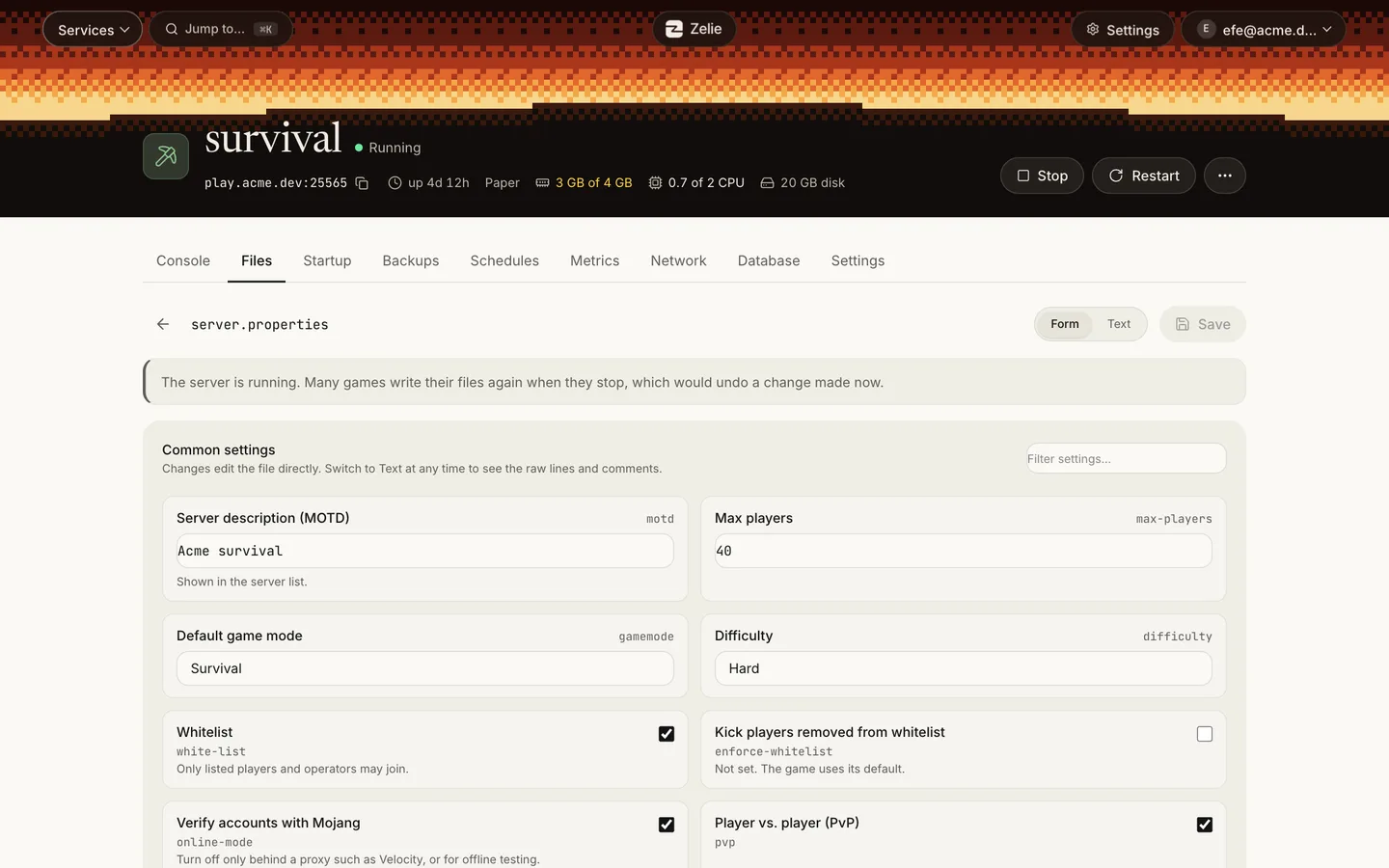
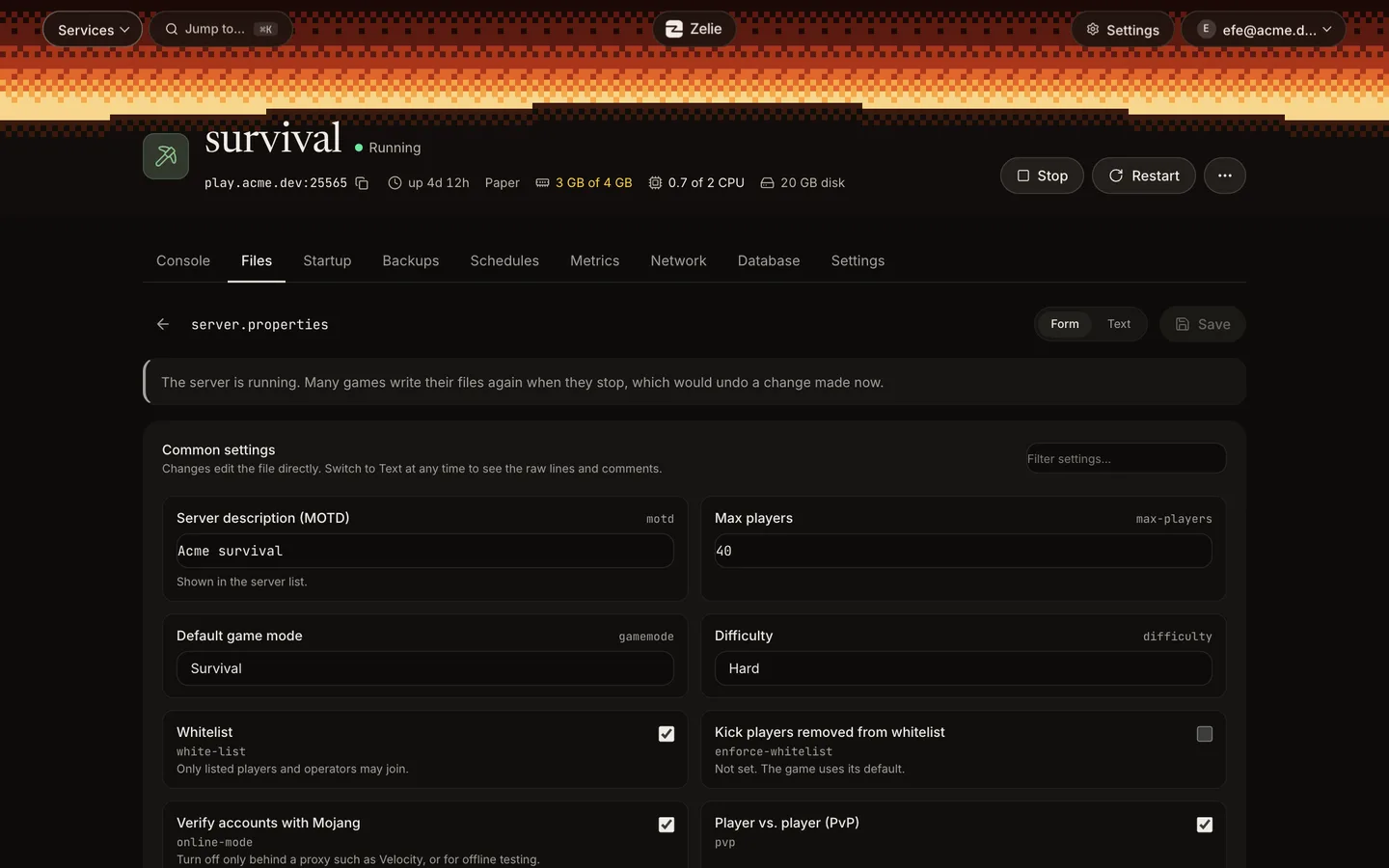
server.properties opens as a form: the server description, max players, game mode, difficulty, the whitelist and the rest, each with its name in the file. The plain text is a click away. Other config files open in the browser editor, which colours JSON, YAML and config files as you type and marks broken JSON in red with the line and the reason, before you save.
Plugins and mods are files in the server’s folder. Upload them with the file manager by dragging them in, or send them over SFTP. Log in with an SSH key, or with a password made for that server and shown once. The file manager also packs a folder into a .tar.gz and unpacks .zip and .tar archives, which helps with modpacks.
Backups that do not catch the world mid-save
A backup of a running world can copy files while the server is writing them. For Minecraft, Zelie saves the world and pauses saving while the backup runs, with the same save-all and save-off commands you would type yourself, and turns saving back on afterwards.
Backups run on a schedule you choose. They are compressed and encrypted on the server, and a copy can go to any S3-compatible storage. Restoring first backs up what is there, so a bad restore can be undone. A reinstall takes a backup first too.
To try a new version or a modpack, clone the server. The clone is a new, stopped server with the same egg, settings and files, and new ports, and the original keeps running.
When the server crashes
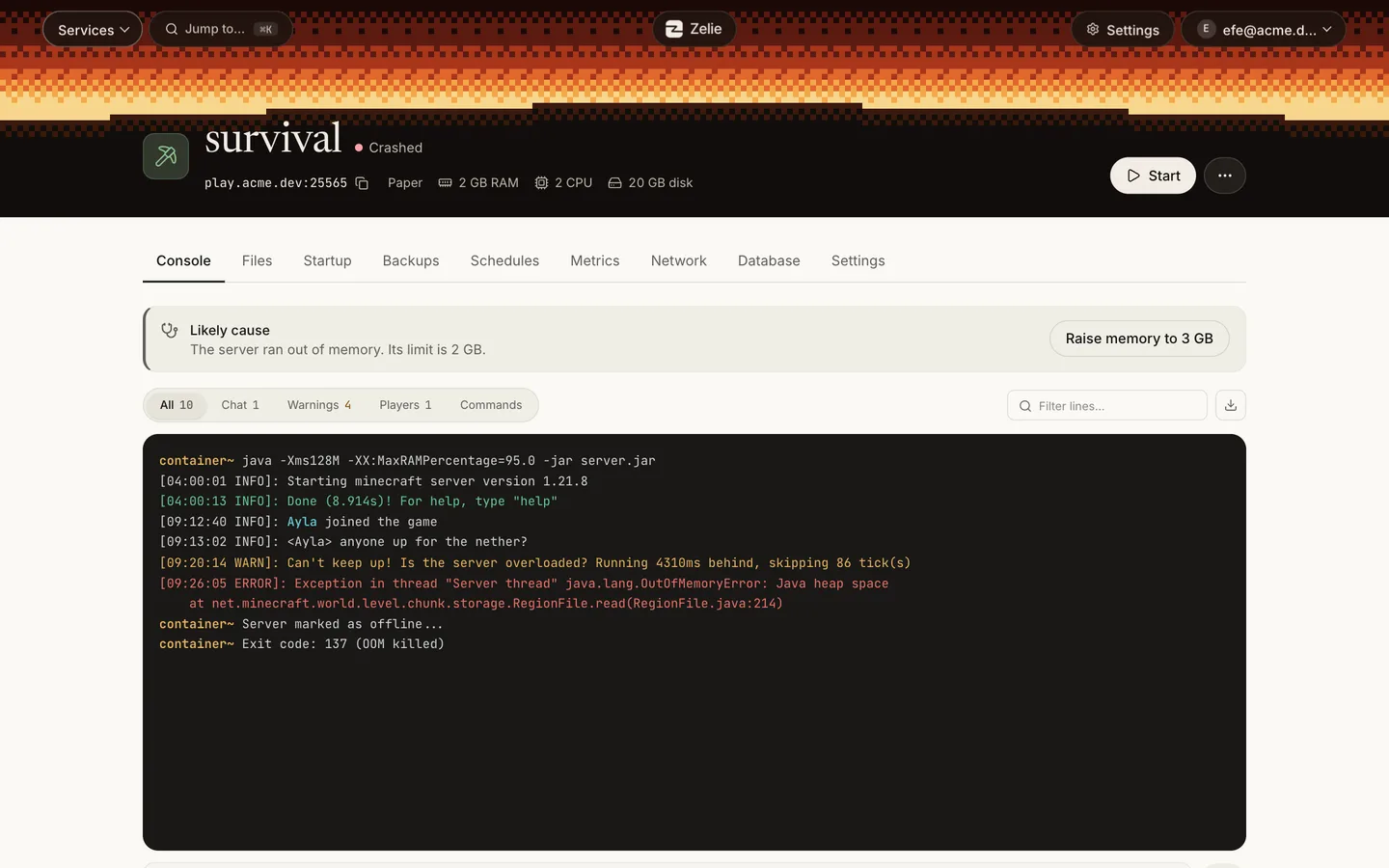
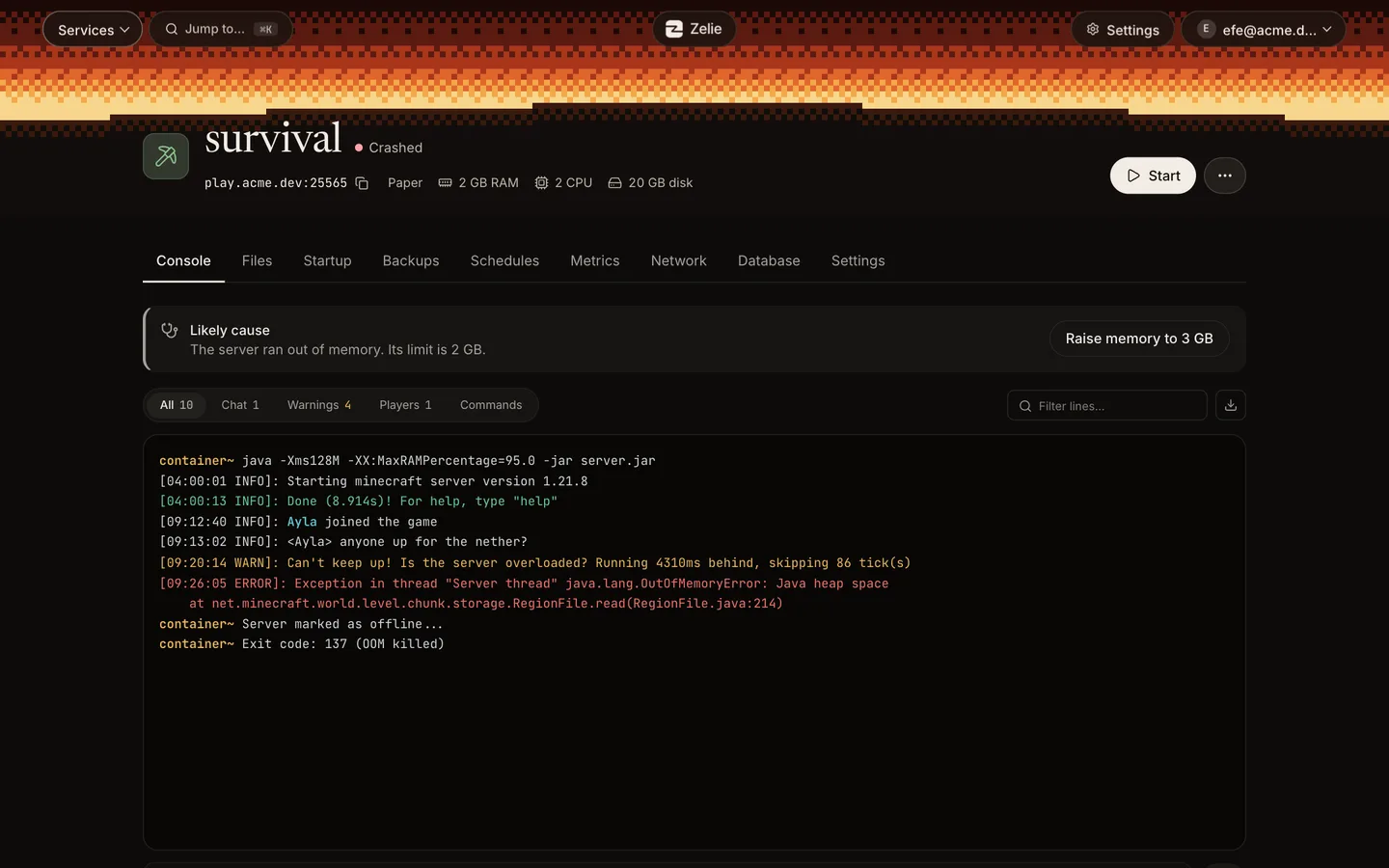
Zelie reads the last lines the server printed and says why it stopped. A server that ran out of memory says so, with its limit, so you know what to change.
The console
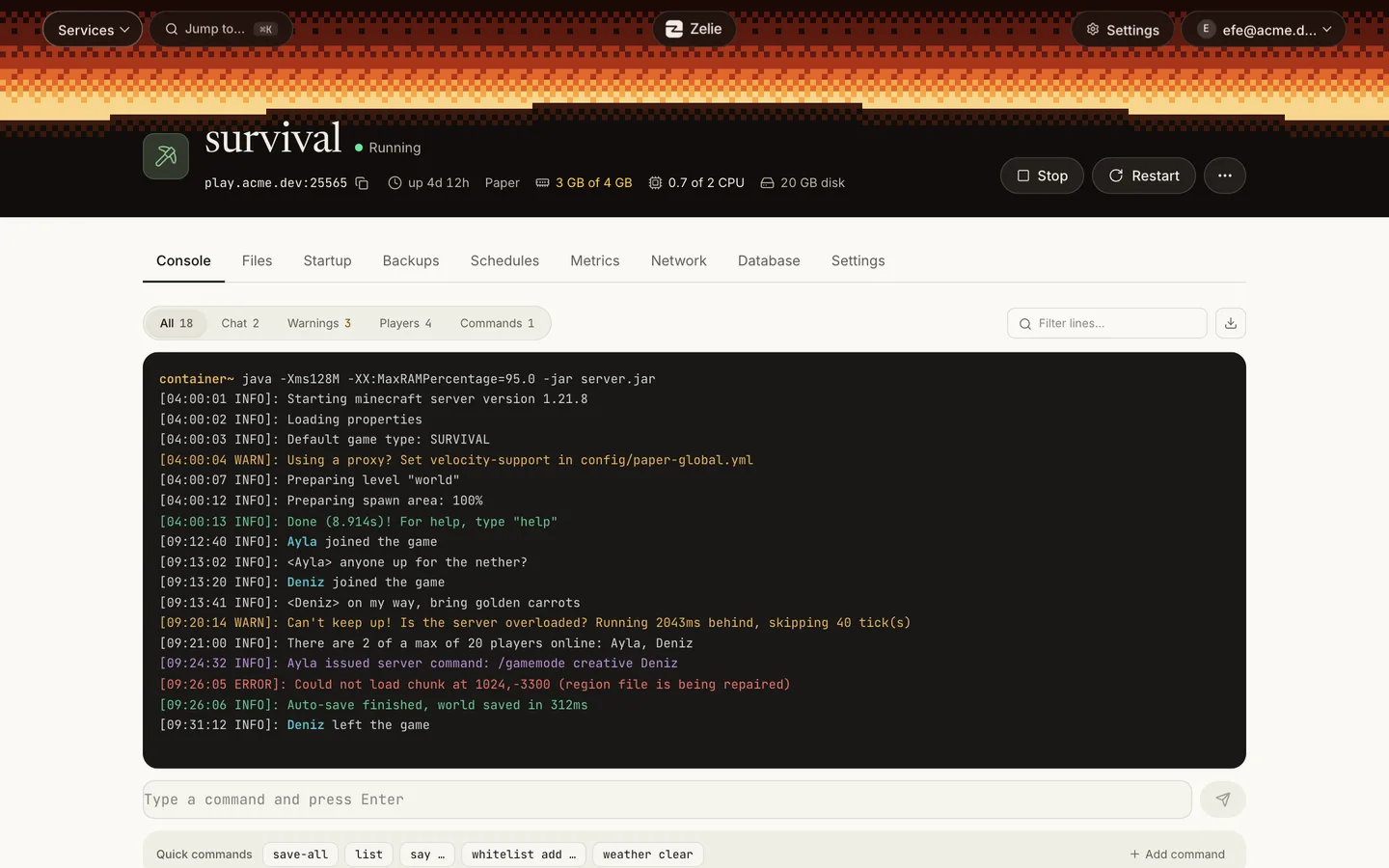
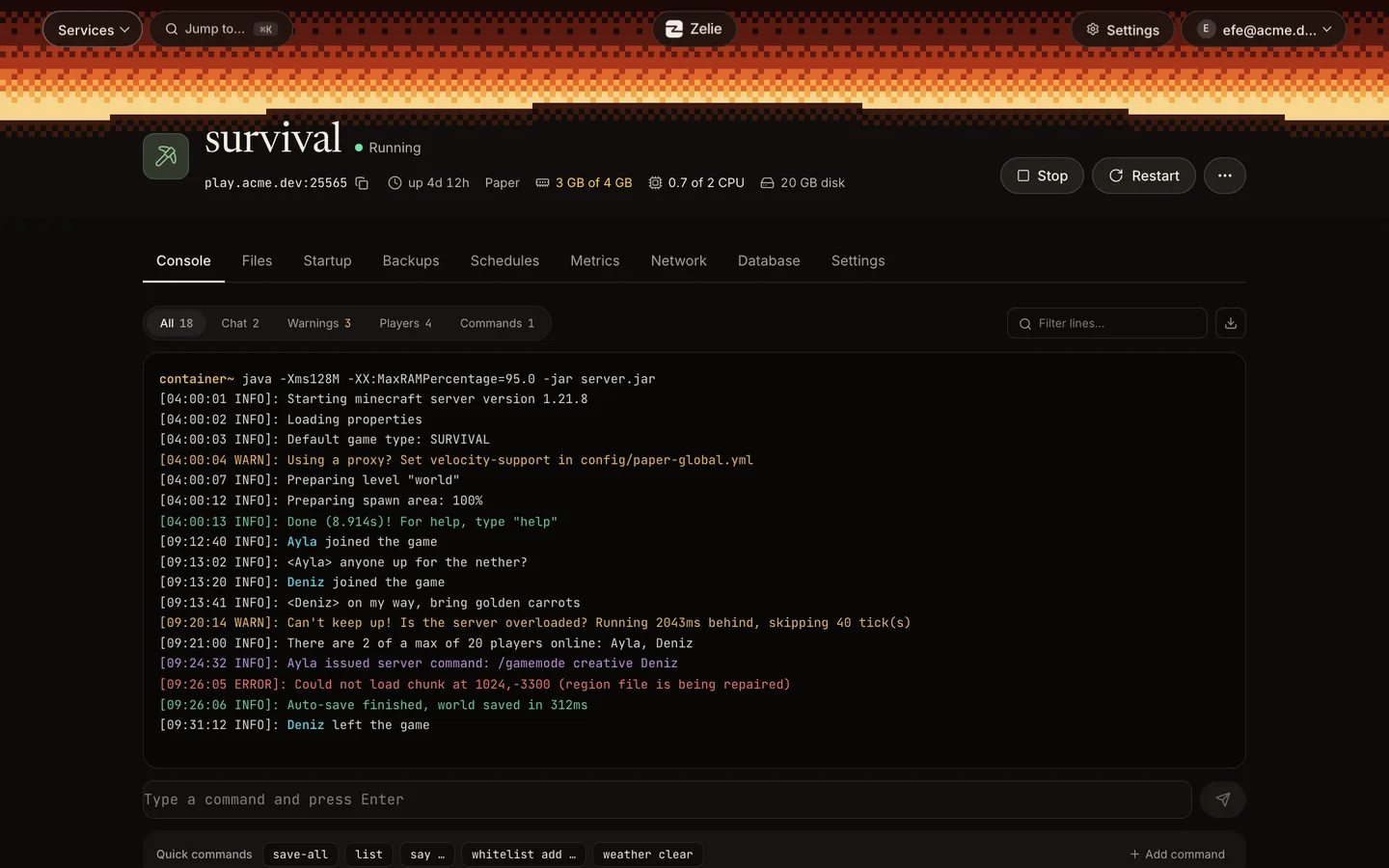
The console shows the server’s output with its colours, keeps the last 500 lines when you open it and has a command line with history. It stays connected while Zelie updates itself. Stopping sends the egg’s stop command, and Zelie kills the server only if it has not stopped after a minute.
A schedule can send console commands at set times, for example a warning before a nightly restart.
A Velocity network
Run a Velocity proxy with a public port and put Paper or Purpur servers behind it with no public port of their own, all in one network group. Zelie writes modern forwarding and one shared secret on all of them at each start. The Minecraft network panel page has the steps.
Players, bans, op and the whitelist
For Vanilla, Paper, Purpur, Fabric, Forge and NeoForge servers, the Players tab shows who is online with ping, time online and address, which stays hidden until you show it. It keeps everyone seen in the last 30 days with their visits and play time, and lists accounts seen on the same address.
You can kick and ban with a reason and an optional end, which Zelie lifts by itself while the server runs. Bans, IP bans, op and the whitelist can be changed whether the server is running or stopped: while it runs Zelie uses its console, while it is stopped it edits the server’s own files. Notes on each player and a log of what admins did sit next to them. There is nothing to install.
How much memory a Minecraft server needs
Start with the suggested size and watch the memory use. The header of every server shows it, coloured green under 70 %, amber from 70 % and red from 90 %, and its metrics keep the last day.
- A Vanilla, Paper or Purpur server for a few friends is comfortable at 2 GB.
- Mods and modpacks need more. Forge and NeoForge start at 4 GB here, and a large pack may want more.
- A world grows as people explore, so leave disk to spare. Backups take space on the machine too.
- A Velocity proxy passes players along and needs little. 512 MB is the starting size.
Questions
Can I run a modded server with Forge, NeoForge or Fabric?
Yes. All three are in the list. Upload mods with the file manager or SFTP, and give Forge and NeoForge at least the 4 GB Zelie suggests.
Can Bedrock players join?
Yes, by running the Bedrock server kind. It is a separate server from Java, so Java and Bedrock players do not share a world unless you add a bridge plugin to a Java server yourself.
Do I have to accept the EULA?
Yes. Mojang’s server needs it, so the panel asks you to accept it before it creates a Minecraft server. Zelie does not accept it for you.
Does Zelie work with a Velocity proxy?
Yes. Velocity runs as its own server in Zelie. Put it in a network group with your Paper or Purpur servers, which then need no public port, and Zelie sets up modern forwarding and one shared secret on all of them at each start. The Minecraft network panel page has the steps.
Install Zelie
Zelie is in early development, and Free is open to everyone: make an account and install it on a server of your own. Pro, for your own server too, is on sale now at €4.49 a month or €44.90 a year. Business, for those who sell hosting, follows.